India AI Mission: Latest Developments, New Opportunities and What Users Should Know
Introduction
YouTube videoಗೆ thumbnail ಅಂದರೆ ಕೇವಲ ಒಂದು image ಅಲ್ಲ. Viewer ನಿಮ್ಮ video ನೋಡಬೇಕೇ ಅಥವಾ scroll ಮಾಡಿ ಮುಂದೆ ಹೋಗಬೇಕೇ ಎನ್ನುವುದನ್ನು decide ಮಾಡುವ ಮೊದಲ visual signal thumbnail ಆಗಿರಬಹುದು.
ಆದರೆ ಉತ್ತಮ thumbnail create ಮಾಡಲು Photoshop, advanced graphic design ಅಥವಾ professional photography skills ಕಡ್ಡಾಯವಲ್ಲ.
ಇಂದು AI Image Generator ಬಳಸಿ ನೀವು ನಿಮ್ಮ video topicಗೆ match ಆಗುವ custom visuals create ಮಾಡಬಹುದು. ನಂತರ Canva ಅಥವಾ ಇನ್ನೊಂದು simple design toolನಲ್ಲಿ ಅದನ್ನು thumbnail layoutಗೆ convert ಮಾಡಿ, headline, face, arrows, highlights ಮತ್ತು branding ಸೇರಿಸಬಹುದು.
ಇಲ್ಲಿ ಒಂದು ಮುಖ್ಯ point ಇದೆ.
AI ನಿಮಗಾಗಿ thumbnail ಅನ್ನು ಸಂಪೂರ್ಣವಾಗಿ decide ಮಾಡಬಾರದು. AI ಅನ್ನು visual creation assistant ಆಗಿ ಬಳಸಿದರೆ result ಹೆಚ್ಚು useful ಆಗುತ್ತದೆ.
ಉದಾಹರಣೆಗೆ, ನಿಮ್ಮ YouTube video:
“ChatGPTನಿಂದ 10 ನಿಮಿಷದಲ್ಲಿ Website ಹೇಗೆ Create ಮಾಡುವುದು?”
ಎಂದಿದ್ದರೆ, random computer image generate ಮಾಡುವುದಕ್ಕಿಂತ viewerಗೆ ತಕ್ಷಣ topic ಅರ್ಥವಾಗುವ visual ಬೇಕು.
ಒಂದು laptop screen, AI interface, surprised creator expression, strong lighting ಮತ್ತು empty text space ಇರುವ composition ಹೆಚ್ಚು practical ಆಗಿರಬಹುದು.
ಈ articleನಲ್ಲಿ advanced design knowledge ಇಲ್ಲದಿದ್ದರೂ AI ಬಳಸಿ YouTube thumbnails create ಮಾಡುವ complete workflow ನೋಡೋಣ.
AI YouTube Thumbnail ಎಂದರೇನು?
AI YouTube Thumbnail ಎಂದರೆ AI image generation ಮತ್ತು simple graphic design tools ಬಳಸಿ YouTube videoಗೆ custom thumbnail create ಮಾಡುವ ವಿಧಾನ.
Traditional workflowನಲ್ಲಿ stock image ಹುಡುಕಬೇಕು, Photoshopನಲ್ಲಿ edit ಮಾಡಬೇಕು, background remove ಮಾಡಬೇಕು, subject position ಮಾಡಬೇಕು ಮತ್ತು lighting adjust ಮಾಡಬೇಕು.
AI workflowನಲ್ಲಿ ಈ ಕೆಲಸದ ಕೆಲವು ಭಾಗಗಳನ್ನು prompt ಮೂಲಕ ಮಾಡಬಹುದು.
ನೀವು ಹೀಗೆ prompt ಕೊಡಬಹುದು:
“Create a cinematic YouTube thumbnail background showing a modern creator using an AI-powered computer, dramatic lighting, expressive face, clean dark background, strong depth, empty space on the left for headline text, realistic photography.”
AI ಅದಕ್ಕೆ ಅನುಗುಣವಾಗಿ visual generate ಮಾಡುತ್ತದೆ.
ಆಮೇಲೆ ನೀವು generated image ಅನ್ನು Canvaನಲ್ಲಿ ತೆಗೆದುಕೊಂಡು headline ಮತ್ತು branding ಸೇರಿಸಬಹುದು.
ಇದರಿಂದ thumbnail creation process ಮೂರು main stagesಗೆ divide ಆಗುತ್ತದೆ:
Idea → AI Image → Thumbnail Design
ಈ separation ಬಹಳ important.
AI image ಚೆನ್ನಾಗಿದ್ದರೂ ಅದು automatically good thumbnail ಆಗುವುದಿಲ್ಲ.
Thumbnailಗೆ visual quality ಜೊತೆಗೆ clarity, hierarchy ಮತ್ತು curiosity ಬೇಕಾಗುತ್ತದೆ.
YouTube Thumbnailಗೆ AI ಯಾಕೆ ಬಳಸಬೇಕು?
AI image generationನ ದೊಡ್ಡ advantage speed.
ಒಂದು conceptಗೆ stock websitesನಲ್ಲಿ image ಹುಡುಕಲು 20–30 minutes ಬೇಕಾಗಬಹುದು. ಆದರೆ AIನಲ್ಲಿ ಅದೇ conceptಗೆ multiple visual directions quickly test ಮಾಡಬಹುದು.
ಉದಾಹರಣೆಗೆ:
“AI replacing office workers”
ಎಂಬ topic ಇದ್ದರೆ ನೀವು:
futuristic office
human and AI comparison
robot working at desk
shocked employee looking at AI screen
AI automation dashboard
ಹೀಗೆ ಹಲವು concepts generate ಮಾಡಬಹುದು.
ಇದರಿಂದ thumbnail designನಲ್ಲಿ visual experimentation ಸುಲಭವಾಗುತ್ತದೆ.
ಇನ್ನೊಂದು advantage customization.
Stock imageನಲ್ಲಿ ನಿಮ್ಮ exact idea ಸಿಗದೇ ಇರಬಹುದು. AIನಲ್ಲಿ camera angle, lighting, environment, subject position ಮತ್ತು mood ಅನ್ನು prompt ಮೂಲಕ specify ಮಾಡಬಹುದು.
ಮೂರನೇ advantage consistency.
ಒಬ್ಬ creator ತನ್ನ channelನಲ್ಲಿ ಒಂದೇ visual style maintain ಮಾಡಲು AI-generated backgrounds ಮತ್ತು recurring visual patterns ಬಳಸಬಹುದು.
ಆದರೆ AI ಬಳಸುವುದರಿಂದ thumbnail automatically successful ಆಗುತ್ತದೆ ಎಂದು ಅರ್ಥವಲ್ಲ.
Viewerಗೆ thumbnailನಲ್ಲಿ video ಏನು offer ಮಾಡುತ್ತದೆ ಎನ್ನುವುದು ಕೆಲವು secondsನಲ್ಲಿ ಅರ್ಥವಾಗಬೇಕು.
ಮೊದಲು Thumbnail Idea Decide ಮಾಡಿ
AI tool open ಮಾಡುವ ಮೊದಲು prompt ಬರೆಯುವುದು ಸಾಮಾನ್ಯವಾಗಿ ತಪ್ಪು workflow.
ಮೊದಲು videoನ core promise identify ಮಾಡಿ.
ನಿಮ್ಮ video title:
“5 AI Tools That Can Save 10 Hours Every Week”
ಎಂದಿದ್ದರೆ thumbnailನಲ್ಲಿ ಸಂಪೂರ್ಣ title repeat ಮಾಡಬೇಡಿ.
Instead, thumbnail concept:
“10 HOURS SAVED”
ಅಥವಾ
“5 AI TOOLS”
ಹಾಗಿರಬಹುದು.
Visualನಲ್ಲಿ:
creator
laptop
multiple AI tool windows
clock
automation effect
ಇರಬಹುದು.
ಇಲ್ಲಿ title ಮತ್ತು thumbnail ಒಂದೇ sentence ಹೇಳಬಾರದು.
ಅವು ಒಂದಕ್ಕೊಂದು complement ಆಗಬೇಕು.
Simple Formula
ಒಂದು strong thumbnail conceptಗೆ ಈ formula ಬಳಸಿ:
Video Topic + Main Emotion + Main Object + Visual Contrast + Empty Text Space
ಉದಾಹರಣೆಗೆ:
AI Video Editing + Surprise + Laptop + Before/After contrast + Right-side text space
ಇದು prompt ಬರೆಯಲು ಸಾಕಷ್ಟು strong starting point.
Step-by-Step: AI ಬಳಸಿ YouTube Thumbnail Create ಮಾಡುವುದು
ಈಗ complete workflow ನೋಡೋಣ.
Step 1: Video Topic ಅನ್ನು Thumbnail Conceptಗೆ Convert ಮಾಡಿ
ಮೊದಲಿಗೆ ನಿಮ್ಮ video title ತೆಗೆದುಕೊಳ್ಳಿ.
ಉದಾಹರಣೆಗೆ:
“How to Create AI Videos for YouTube”
ಇದನ್ನು thumbnail conceptಗೆ convert ಮಾಡಿದರೆ:
Visual: Creator looking at AI video generation interface.
Emotion: Surprise / excitement.
Main object: Laptop.
Background: Modern creator studio.
Composition: Creator on right, empty space on left.
Thumbnail text: “AI VIDEO IN MINUTES”
ಇದೀಗ AIಗೆ direction clear ಆಗಿದೆ.
Step 2: Thumbnailನಲ್ಲಿ ಒಂದು Main Subject ಇಡಿ
Beginner creators ಮಾಡುವ common mistake ಎಂದರೆ thumbnailನಲ್ಲಿ ತುಂಬಾ objects ಹಾಕುವುದು.
Laptop, robot, phone, camera, money, arrows, charts, AI logo, background graphics ಎಲ್ಲವನ್ನೂ ಒಂದೇ imageನಲ್ಲಿ ಸೇರಿಸಿದರೆ visual clutter ಆಗುತ್ತದೆ.
Viewerಗೆ ಏನನ್ನು ನೋಡಬೇಕು ಎನ್ನುವುದು ಗೊತ್ತಾಗುವುದಿಲ್ಲ.
Better approach:
One main subject + one supporting element.
ಉದಾಹರಣೆಗೆ AI coding video:
Main subject: developer
Supporting element: glowing AI code interface
Background: simple technology environment
ಇಷ್ಟು ಸಾಕಾಗಬಹುದು.
Thumbnailನಲ್ಲಿ visual hierarchy clear ಇರಬೇಕು.
ಮೊದಲಿಗೆ viewerನ ಕಣ್ಣು main subject ಕಡೆ ಹೋಗಬೇಕು.
ನಂತರ supporting visual.
ಕೊನೆಯಲ್ಲಿ text.
Step 3: AI Image Generator ಆಯ್ಕೆ ಮಾಡಿ
AI thumbnail creationಗೆ ಒಂದೇ tool ಬಳಸಬೇಕೆಂಬ ನಿಯಮ ಇಲ್ಲ.
ನಿಮ್ಮ workflowಗೆ ಅನುಗುಣವಾಗಿ different tools ಬಳಸಬಹುದು.
ChatGPT Images
ChatGPT Imagesನಲ್ಲಿ text prompt ಬಳಸಿ ಹೊಸ images create ಮಾಡಬಹುದು ಮತ್ತು generated image ಅನ್ನು ಮತ್ತೆ edit ಮಾಡಬಹುದು.
ಅದರಲ್ಲೂ specific area change ಮಾಡಲು instructions ನೀಡಬಹುದು. Aspect ratio ಕೂಡ ಆಯ್ಕೆ ಮಾಡಬಹುದು. ಇದರಿಂದ first generation ನಂತರ thumbnail composition ಅನ್ನು refine ಮಾಡುವುದು practical ಆಗುತ್ತದೆ.
ಉದಾಹರಣೆಗೆ:
“Move the person to the right side and leave clean negative space on the left for large thumbnail text.”
ಎಂದು ಕೇಳಬಹುದು.
Canva Magic Media
Canva Magic Mediaನಲ್ಲಿ prompt ಮೂಲಕ image generate ಮಾಡಿ, generated image ಅನ್ನು ನೇರವಾಗಿ Canva designಗೆ add ಮಾಡಬಹುದು.
ಇದು beginnersಗೆ useful ಆಗಿರುವುದು image generation ಮತ್ತು graphic design ಒಂದೇ workflowನಲ್ಲಿ ಇರುವುದರಿಂದ.
Canvaನಲ್ಲಿ image style ಮತ್ತು layout options ಕೂಡ available ಇವೆ.
Adobe Firefly
Adobe Firefly text-to-image workflow ಮೂಲಕ custom visuals generate ಮಾಡಲು ಬಳಸಬಹುದು.
ಇದು photography, illustration, product-style visuals ಮತ್ತು marketing graphics ಮುಂತಾದ ಹಲವು visual directionsಗೆ ಉಪಯುಕ್ತವಾಗಿದೆ. Fireflyನಲ್ಲಿ image-to-image workflow ಕೂಡ ಇದೆ, ಅಂದರೆ existing reference imageನ structure ಅಥವಾ visual direction ಆಧರಿಸಿ ಹೊಸ result explore ಮಾಡಬಹುದು.
ನೀವು beginner ಆಗಿದ್ದರೆ ಒಂದು toolನಿಂದ ಆರಂಭಿಸಿ workflow stable ಆದ ನಂತರ alternatives test ಮಾಡುವುದು ಉತ್ತಮ.
Step 4: Strong AI Prompt ಬರೆಯಿರಿ
AI-generated thumbnailನ quality ಬಹಳಷ್ಟು prompt clarity ಮೇಲೆ depend ಆಗುತ್ತದೆ.
“Create a YouTube thumbnail about AI”
ಎಂಬ prompt ತುಂಬಾ generic.
ಇದಕ್ಕಿಂತ structured prompt ಉತ್ತಮ.
Thumbnail Prompt Formula
Subject + Action + Environment + Camera + Lighting + Composition + Mood + Empty Space + Aspect Ratio
ಉದಾಹರಣೆ:
Create a high-impact cinematic YouTube thumbnail showing a young content creator looking surprised while using an advanced AI video generator on a laptop. Modern creator studio, realistic photography, dramatic cinematic lighting, strong depth of field, subject positioned on the right side, clean dark background, glowing AI interface on laptop, large empty negative space on the left for headline text, high contrast, professional technology YouTube aesthetic, 16:9 composition.
ಈ promptನಲ್ಲಿ AIಗೆ subject ಮಾತ್ರವಲ್ಲ, thumbnail composition ಕೂಡ explain ಮಾಡಲಾಗಿದೆ.
Step 5: Textಗಾಗಿ Empty Space ಕೇಳಿ
AI image generationನಲ್ಲಿ ಅತ್ಯಂತ useful technique ಎಂದರೆ negative space.
Negative space ಎಂದರೆ main subject ಇಲ್ಲದ clean area.
ನಿಮ್ಮ headline left sideನಲ್ಲಿ ಇರಬೇಕಾದರೆ promptನಲ್ಲಿ:
“leave clean negative space on the left for large headline text”
ಎಂದು specify ಮಾಡಿ.
Right sideನಲ್ಲಿ subject ಬೇಕಾದರೆ:
“subject positioned on the right third of the frame”
ಎಂದು ಹೇಳಬಹುದು.
ಇದು ನಂತರ Canvaನಲ್ಲಿ text add ಮಾಡುವುದನ್ನು ಸುಲಭಗೊಳಿಸುತ್ತದೆ.
ಉದಾಹರಣೆಗೆ:
LEFT SIDE
Large headline
RIGHT SIDE
Creator + laptop
ಇದು simple ಆದರೆ effective composition.
Step 6: AIನಲ್ಲಿ Thumbnail Text Generate ಮಾಡಿಸಬೇಕೇ?
AI models text generationನಲ್ಲಿ ಸಾಕಷ್ಟು improve ಆಗಿದ್ದರೂ thumbnail designನಲ್ಲಿ exact headline text ಅನ್ನು manually add ಮಾಡುವುದು ಹೆಚ್ಚು reliable workflow.
ನಿಮ್ಮ thumbnailನಲ್ಲಿ:
“7 AI TOOLS”
ಎಂಬ text ಬೇಕಾದರೆ image generatorಗೆ text generate ಮಾಡಲು ಕೇಳುವುದಕ್ಕಿಂತ background image ಅನ್ನು clean ಆಗಿ generate ಮಾಡಿ ನಂತರ Canvaನಲ್ಲಿ text add ಮಾಡುವುದು ಉತ್ತಮ.
ಇದರಿಂದ:
font control
spelling
size
alignment
color
shadow
outline
ಎಲ್ಲವನ್ನೂ manually control ಮಾಡಬಹುದು.
ಇದು ವಿಶೇಷವಾಗಿ Kannada thumbnailsಗೆ important.
Kannada text ಅನ್ನು AI imageನಲ್ಲಿ generate ಮಾಡಿಸುವುದಕ್ಕಿಂತ design toolನಲ್ಲಿ text layer ಆಗಿ add ಮಾಡುವುದು ಸಾಮಾನ್ಯವಾಗಿ safer workflow.
Step 7: 3–4 Variations Generate ಮಾಡಿ
ಮೊದಲ generated imageನೇ final image ಆಗಬೇಕೆಂಬ ನಿಯಮ ಇಲ್ಲ.
ಒಂದು conceptಗೆ ಕನಿಷ್ಠ ಕೆಲವು variations generate ಮಾಡಿ.
ಉದಾಹರಣೆಗೆ:
Version A
Creator + laptop
Version B
Close-up face + AI interface
Version C
Before/after visual
Version D
AI robot + human comparison
ಈ ನಾಲ್ಕರಲ್ಲಿ technically beautiful image ಯಾವುದು ಎಂಬುದಕ್ಕಿಂತ video idea ಅನ್ನು fastest ಆಗಿ communicate ಮಾಡುವ image ಯಾವುದು ಎನ್ನುವುದನ್ನು ನೋಡಿ.
Thumbnailನಲ್ಲಿ beautyಗಿಂತ clarity ಹೆಚ್ಚು important.
Step 8: Best Image ಆಯ್ಕೆ ಮಾಡಿ
Generated images ನೋಡಿದಾಗ ಈ questions ಕೇಳಿ:
Main subject immediately visible ಇದೆಯೇ?
Mobile screenನಲ್ಲಿ ಕೂಡ subject clear ಆಗಿದೆಯೇ?
Background ತುಂಬಾ busy ಆಗಿದೆಯೇ?
Textಗೆ ಸಾಕಷ್ಟು empty space ಇದೆಯೇ?
Lighting subjectನನ್ನು separate ಮಾಡುತ್ತಿದೆಯೇ?
Thumbnail video topicಗೆ match ಆಗುತ್ತಿದೆಯೇ?
Image ನೋಡಿದಾಗ curiosity ಬರುತ್ತಿದೆಯೇ?
ಈ checklistನಲ್ಲಿ ಹಲವಾರು answers “No” ಆಗಿದ್ದರೆ image technically beautiful ಆಗಿದ್ದರೂ ಅದು good thumbnail ಅಲ್ಲ.
Step 9: Canvaನಲ್ಲಿ Thumbnail Design ಮಾಡಿ
ಈಗ generated image ಅನ್ನು Canva ಅಥವಾ ನಿಮ್ಮ preferred design editorಗೆ import ಮಾಡಿ.
YouTube thumbnailಗಾಗಿ 16:9 landscape layout ಬಳಸುವುದು practical standard. YouTube Help ಪ್ರಕಾರ video thumbnailsಗೆ 16:9 aspect ratio ಬಳಸಲು ಸೂಚಿಸಲಾಗಿದೆ; Google Ads documentation thumbnail specificationಗಾಗಿ 1280 × 720 pixels ಮತ್ತು 16:9 ಅನ್ನು recommend ಮಾಡುತ್ತದೆ.
ಆದ್ದರಿಂದ beginner workflowಗೆ:
1280 × 720 pixels
ಒಂದು practical canvas size.
ಆಮೇಲೆ generated image ಅನ್ನು full background ಆಗಿ place ಮಾಡಿ.
Step 10: Thumbnailನಲ್ಲಿ Strong Headline Add ಮಾಡಿ
Thumbnail text short ಇರಬೇಕು.
Video title:
How to Create AI Images for YouTube Thumbnails Without Advanced Design Skills
Thumbnail text:
CREATE AI THUMBNAILS
ಇದು ಸಾಕು.
ಪೂರ್ಣ title thumbnailನಲ್ಲಿ ಹಾಕುವ ಅಗತ್ಯವಿಲ್ಲ.
Strong Thumbnail Text Examples
AI THUMBNAILS
NO DESIGN SKILLS
CREATE IN 5 MIN
AI MADE THIS
7 AI TOOLS
FREE AI DESIGN
BEFORE vs AFTER
Text viewerಗೆ videoನ value ಅಥವಾ curiosity communicate ಮಾಡಬೇಕು.
Step 11: Text Hierarchy Create ಮಾಡಿ
Thumbnailನಲ್ಲಿ ಎಲ್ಲಾ words ಒಂದೇ sizeನಲ್ಲಿ ಇರಬಾರದು.
ಉದಾಹರಣೆಗೆ:
CREATE
small
AI THUMBNAILS
large
ಇದು visual hierarchy create ಮಾಡುತ್ತದೆ.
ಸಾಮಾನ್ಯವಾಗಿ 2–5 words ಸಾಕಷ್ಟು.
Thumbnailನಲ್ಲಿ paragraph ಬರೆಯುವುದು ತಪ್ಪಿಸಿ.
Viewer thumbnail ಅನ್ನು article ಓದುವಂತೆ ಓದುವುದಿಲ್ಲ.
ಅವರು scroll ಮಾಡುವಾಗ ಒಂದು glanceನಲ್ಲಿ visual meaning ಅರ್ಥಮಾಡಿಕೊಳ್ಳಬೇಕು.
Step 12: Contrast ಹೆಚ್ಚಿಸಿ
Background ಮತ್ತು text ಒಂದೇ visual rangeನಲ್ಲಿ ಇದ್ದರೆ text disappear ಆಗುತ್ತದೆ.
ಉದಾಹರಣೆಗೆ dark background ಮೇಲೆ bright headline readable ಆಗಬಹುದು.
Light background ಮೇಲೆ dark text useful ಆಗಬಹುದು.
Textಗೆ:
bold font
subtle shadow
outline
strong contrast
ಬಳಸಬಹುದು.
ಆದರೆ effects ಹೆಚ್ಚು ಹಾಕಬೇಡಿ.
Glow, shadow, outline, gradient, 3D effect ಎಲ್ಲವನ್ನೂ ಒಂದೇ ಸಮಯದಲ್ಲಿ ಬಳಸಿದರೆ thumbnail cheap-looking ಆಗಬಹುದು.
Simple design ಹೆಚ್ಚು professional ಆಗಿ ಕಾಣಬಹುದು.
Step 13: Face Expression ಬಳಸಬೇಕೇ?
YouTubeನಲ್ಲಿ human face thumbnails ಬಹಳ common.
ಆದರೆ ಪ್ರತಿಯೊಂದು thumbnailಗೂ face ಕಡ್ಡಾಯವಲ್ಲ.
Tutorial contentನಲ್ಲಿ face useful ಆಗಬಹುದು.
ಉದಾಹರಣೆಗೆ:
“I Created This AI Video in 5 Minutes”
ಇಲ್ಲಿ surprised creator face + AI result strong combination ಆಗಬಹುದು.
ಆದರೆ:
“How RAG AI Works”
ಹಾಗೆ technical concept video ಆಗಿದ್ದರೆ architecture diagram ಅಥವಾ AI system visual ಹೆಚ್ಚು relevant ಆಗಬಹುದು.
ಅಂದರೆ face ಅನ್ನು algorithm trick ಎಂದು ನೋಡಬೇಡಿ.
Face ಇರಬೇಕಾದರೆ videoನ storyಗೆ meaningful ಆಗಿರಬೇಕು.
Step 14: AI Imageನಲ್ಲಿ Human Face ಇದ್ದರೆ Check ಮಾಡಿ
AI-generated faces ಈಗ realistic ಆಗಿದ್ದರೂ details check ಮಾಡುವುದು ಮುಖ್ಯ.
ಈ mistakes ನೋಡಿ:
unnatural eyes
strange fingers
distorted hands
duplicated objects
unrealistic screens
broken text
strange reflections
inconsistent lighting
Thumbnail small sizeನಲ್ಲಿ ಕೆಲವು mistakes ಕಾಣಿಸದಿರಬಹುದು.
ಆದರೂ high-resolution originalನಲ್ಲಿ inspect ಮಾಡಿ.
Especially hand-held objects, keyboards, phones ಮತ್ತು computer screens check ಮಾಡಿ.
Step 15: AI-Generated Logos ಮತ್ತು Brands ಬಗ್ಗೆ ಎಚ್ಚರಿಕೆ
ನೀವು “AI tools comparison” thumbnail ಮಾಡುತ್ತಿದ್ದರೆ ChatGPT, Gemini, Claude ಮುಂತಾದ brand logos ಅನ್ನು AI image generatorನಲ್ಲಿ randomly generate ಮಾಡಿಸುವುದು ಉತ್ತಮ workflow ಅಲ್ಲ.
AI-generated logo distorted ಆಗಬಹುದು.
ಅದರ ಬದಲು:
official brand assets ಬಳಕೆಯ permissions ಪರಿಶೀಲಿಸಿ
ಅಥವಾ simple text labels ಬಳಸಿ
ಅಥವಾ generic interface visual ಬಳಸಿ
ನಿಮ್ಮ thumbnailನಲ್ಲಿ brand identity ಬಳಸುವಾಗ trademark ಮತ್ತು platform guidelines ಗಮನದಲ್ಲಿರಲಿ.
Step 16: Existing Photo ಅನ್ನು AI Thumbnailಗೆ Convert ಮಾಡುವುದು
ನೀವು ನಿಮ್ಮ own photo ಹೊಂದಿದ್ದರೆ workflow ಇನ್ನಷ್ಟು interesting ಆಗುತ್ತದೆ.
ಮೊದಲು ನಿಮ್ಮ photo upload ಮಾಡಿ.
ನಂತರ AIಗೆ:
“Transform this photo into a professional YouTube thumbnail portrait. Keep the person’s identity and facial structure recognizable. Add dramatic studio lighting, stronger separation from the background, modern technology environment, and leave clean space on the left for headline text.”
ಎಂದು ಹೇಳಬಹುದು.
ಇದರಿಂದ original photo ಅನ್ನು completely replace ಮಾಡುವ ಬದಲು thumbnail-friendly visual ಆಗಿ enhance ಮಾಡಬಹುದು.
Image editing capabilities ಇರುವ AI toolsನಲ್ಲಿ existing imageನ selected area ಅಥವಾ complete composition ಅನ್ನು modify ಮಾಡುವ workflows ಕೂಡ ಸಾಧ್ಯ. ChatGPT Images ಮತ್ತು Adobe Firefly ಎರಡೂ image editing / image-to-image workflows support ಮಾಡುತ್ತವೆ.
Step 17: One Videoಗೆ Multiple Thumbnail Concepts Create ಮಾಡಿ
ಒಂದು video publish ಮಾಡುವ ಮೊದಲು ಒಂದೇ thumbnail create ಮಾಡುವ ಬದಲು multiple concepts test ಮಾಡುವುದು useful.
ಉದಾಹರಣೆಗೆ video:
“How to Make Money with AI”
Concept 1:
AI + Money
Concept 2:
Laptop + Revenue
Concept 3:
Before → After
Concept 4:
Creator + AI Automation
ಈ conceptsಗಳಲ್ಲಿ audienceಗೆ video promise ಯಾವುದು ಹೆಚ್ಚು clearly communicate ಮಾಡುತ್ತದೆ ಎಂದು evaluate ಮಾಡಿ.
YouTubeನಲ್ಲಿ thumbnail testing ಅಥವಾ analytics capabilities available ಇದ್ದರೆ actual performance data ಆಧರಿಸಿ future designs improve ಮಾಡಬಹುದು.
ಆದರೆ ಒಂದೇ variable change ಮಾಡುವ discipline ಇರಬೇಕು.
AI Thumbnailಗಾಗಿ 5 Useful Prompt Templates
Template 1: Technology Tutorial
Create a professional cinematic YouTube thumbnail showing a content creator using advanced AI technology on a laptop, realistic photography, dramatic lighting, high contrast, modern workspace, subject positioned on the right side, clean negative space on the left for headline text, sharp details, professional technology creator aesthetic, 16:9.
Template 2: AI Tool Review
Create a high-impact YouTube thumbnail for an AI tool review, showing a surprised creator looking at a futuristic AI interface on a computer screen, modern studio background, realistic photography, dramatic lighting, strong visual contrast, clean composition, subject on the right, empty space on the left for bold text, 16:9.
Template 3: Before and After
Create a split-screen YouTube thumbnail showing a clear before-and-after transformation related to AI content creation, strong visual contrast between both sides, realistic professional imagery, dramatic lighting, clean background, simple composition, space for short headline text, highly readable at small size, 16:9.
Template 4: AI News
Create an editorial-style YouTube thumbnail about a major AI technology development, futuristic AI data center, glowing computing infrastructure, professional technology newsroom aesthetic, dramatic perspective, clean composition, strong depth, empty space for headline text, realistic high-end editorial photography, 16:9.
Template 5: Personal Creator Photo
Transform the provided creator photo into a professional YouTube thumbnail portrait, preserve the person’s recognizable identity, improve lighting and subject separation, modern AI technology background, cinematic photography, strong contrast, clean negative space on the opposite side for headline text, professional creator branding, 16:9.
Complete 10-Minute AI Thumbnail Workflow
Once you become comfortable with the process, you don’t need to spend one hour on every thumbnail.
Minute 1: Understand the video
Write down:
Topic + Promise + Emotion
Minutes 2–3: Create the prompt
Specify:
Subject + environment + lighting + composition + negative space
Minutes 4–5: Generate variations
Create multiple versions.
Minute 6: Select the strongest visual
Choose based on clarity, not beauty alone.
Minutes 7–8: Design
Add:
headline
branding
contrast
simple visual elements
Minute 9: Mobile test
Zoom out.
Can you understand the thumbnail when it is very small?
Minute 10: Final check
Check:
spelling
face
hands
objects
text readability
contrast
relevance
file format
dimensions
Then export.
YouTube Thumbnail Size and Export
For normal YouTube videos, use a 16:9 thumbnail.
A practical working canvas is:
1280 × 720 pixels
JPG or PNG are common supported formats. YouTube’s current Help documentation says video thumbnails should use a 16:9 aspect ratio and lists JPG and PNG among supported image formats. Upload size limits can differ depending on device, so check the current YouTube upload interface if your file is rejected.
Do not export an unnecessarily huge file if it provides no visible advantage.
Your final thumbnail should look sharp but should also remain easy to upload and manage.
Mobile Thumbnail Test: The Most Important Check
Many creators design thumbnails on a large monitor.
But a large percentage of viewers will see the thumbnail much smaller.
Therefore, after completing your design, zoom out.
Ask:
“If I see this for one second, what do I understand?”
If your answer is:
“I’m not sure.”
Then redesign it.
At small size:
face should remain recognizable
headline should remain readable
main object should remain visible
background should not dominate
unnecessary details should disappear
A thumbnail should work at small scale, not just at full resolution.
Common AI Thumbnail Mistakes
Mistake 1: Too Much Text
Thumbnail ಅನ್ನು mini-blog ಆಗಿ ಮಾಡಬೇಡಿ.
Long sentence viewerಗೆ read ಮಾಡಲು time ತೆಗೆದುಕೊಳ್ಳುತ್ತದೆ.
Short phrase use ಮಾಡಿ.
Mistake 2: Too Many Objects
AIಗೆ “add everything” prompt ಕೊಟ್ಟರೆ visual clutter ಆಗಬಹುದು.
ಒಂದು main idea ಸಾಕು.
Mistake 3: Beautiful But Irrelevant Image
AI image cinematic ಆಗಿರಬಹುದು.
ಆದರೆ video topicಗೆ ಸಂಬಂಧ ಇಲ್ಲದಿದ್ದರೆ ಅದು useless.
Thumbnail beautiful ಆಗಿರುವುದಕ್ಕಿಂತ contextually relevant ಆಗಿರಬೇಕು.
Mistake 4: Clickbait That Doesn’t Match the Video
Curiosity create ಮಾಡುವುದು ಮತ್ತು misleading ಮಾಡುವುದು ಎರಡು ಬೇರೆ ವಿಷಯಗಳು.
Thumbnailನಲ್ಲಿ viewerಗೆ ಒಂದು expectation create ಮಾಡಿದರೆ videoನಲ್ಲಿ ಅದನ್ನು satisfy ಮಾಡಬೇಕು.
ಇಲ್ಲದಿದ್ದರೆ audience trust ಮೇಲೆ negative impact ಆಗಬಹುದು.
Mistake 5: Every Thumbnail Looks Different
ಒಂದು channelನಲ್ಲಿ ಪ್ರತಿಯೊಂದು thumbnail ಬೇರೆ styleನಲ್ಲಿ ಇದ್ದರೆ brand recognition ಕಡಿಮೆಯಾಗಬಹುದು.
ನೀವು:
same font family
similar text placement
consistent logo position
recurring visual style
consistent color logic
ಇವುಗಳಲ್ಲಿ ಕೆಲವು maintain ಮಾಡಬಹುದು.
Create a Thumbnail Brand System
ನೀವು regular YouTuber ಆಗಿದ್ದರೆ ಪ್ರತಿಯೊಂದು thumbnail ಅನ್ನು zeroದಿಂದ design ಮಾಡುವ ಅಗತ್ಯವಿಲ್ಲ.
ಒಂದು reusable template create ಮಾಡಿ.
ಉದಾಹರಣೆಗೆ:
Left: Headline
Right: Main subject
Top corner: Channel branding
Bottom: Small category label
ಈ structure ಅನ್ನು different videosಗೆ reuse ಮಾಡಿ.
ಆಮೇಲೆ AI image ಮಾತ್ರ change ಮಾಡಿ.
ಇದರಿಂದ thumbnail creation faster ಆಗುತ್ತದೆ.
AI Thumbnail Workflow for YouTube Creators
ನಿಮ್ಮ complete system ಹೀಗೆ ಇರಬಹುದು:
Step 1: Video script complete ಮಾಡಿ.
Step 2: Main promise identify ಮಾಡಿ.
Step 3: Thumbnail concept ಬರೆಯಿರಿ.
Step 4: AI prompt create ಮಾಡಿ.
Step 5: Multiple images generate ಮಾಡಿ.
Step 6: Best visual select ಮಾಡಿ.
Step 7: Canvaನಲ್ಲಿ design ಮಾಡಿ.
Step 8: Short headline add ಮಾಡಿ.
Step 9: Branding apply ಮಾಡಿ.
Step 10: Mobile-size test ಮಾಡಿ.
Step 11: Final export ಮಾಡಿ.
Step 12: Publish ನಂತರ performance observe ಮಾಡಿ.
ಇದು repeatable system.
AI ಅನ್ನು Thumbnail Designer ಆಗಿ ಅಲ್ಲ, Creative Assistant ಆಗಿ ಬಳಸಿ
ಇದು ಈ entire workflowನಲ್ಲಿ ಅತ್ಯಂತ important lesson.
AIಗೆ:
“Create a thumbnail.”
ಎಂದು ಹೇಳುವುದಕ್ಕಿಂತ:
“Give me five visual concepts for a YouTube thumbnail about this topic, each with a different composition, emotion and curiosity angle.”
ಎಂದು ಕೇಳಿ.
ಆಮೇಲೆ best concept ಆಯ್ಕೆ ಮಾಡಿ.
ನಂತರ:
“Write an image generation prompt for concept 3.”
ಎಂದು ಕೇಳಿ.
Image generate ಮಾಡಿ.
ಆಮೇಲೆ:
“Suggest five short thumbnail headlines that complement the video title without repeating it.”
ಎಂದು ಕೇಳಿ.
ಈ workflowನಲ್ಲಿ AI ಮೂರು roles ತೆಗೆದುಕೊಳ್ಳುತ್ತದೆ:
Idea Generator → Image Generator → Design Assistant
Final decision ಮಾತ್ರ creator ತೆಗೆದುಕೊಳ್ಳಬೇಕು.
AI Thumbnail Creationದಿಂದ Money-Making Opportunities
ನೀವು AI thumbnail creation ಕಲಿತ ನಂತರ ಇದು ನಿಮ್ಮ own YouTube channelಗೆ ಮಾತ್ರ useful ಅಲ್ಲ.
ಇದನ್ನು service ಆಗಿಯೂ convert ಮಾಡಬಹುದು.
YouTube Thumbnail Service
Small YouTubersಗೆ:
5 thumbnails
10 thumbnails
monthly thumbnail package
offer ಮಾಡಬಹುದು.
AI Creator Package
Thumbnail ಜೊತೆಗೆ:
YouTube title ideas
description
video hooks
social media posts
Shorts concepts
ಒಟ್ಟಿಗೆ offer ಮಾಡಬಹುದು.
Digital Templates
Canva thumbnail templates create ಮಾಡಿ digital product ಆಗಿ sell ಮಾಡಬಹುದು.
Niche Thumbnail Packs
Specific nichesಗಾಗಿ templates:
AI channels
Gaming
Finance
Education
Cooking
Travel
Motivation
Tech reviews
ಮಾಡಬಹುದು.
ಆದರೆ templateನಲ್ಲಿ copyrighted logos, celebrity images ಅಥವಾ third-party assets ಬಳಸುವಾಗ licensing rules ಪರಿಶೀಲಿಸಬೇಕು.
AI Thumbnail Creationನಲ್ಲಿ Copyright ಮತ್ತು Commercial Use
AI-generated image ಎಂದರೆ automatically “copyright-free” ಅಥವಾ “completely unrestricted” ಎಂದು assume ಮಾಡಬೇಡಿ.
Toolನ terms ಮತ್ತು local copyright law ಎರಡನ್ನೂ ಗಮನಿಸಿ.
Canva ತನ್ನ Magic Media guidanceನಲ್ಲಿ generated content ownership ಮತ್ತು AI-generated contentಗೆ ಸಂಬಂಧಿಸಿದ copyright rights country ಪ್ರಕಾರ ಬದಲಾಗಬಹುದು ಎಂದು ಹೇಳುತ್ತದೆ. Recognizable people, characters ಅಥವಾ brands ಬಳಸಿದರೆ rights/permission issues ಕೂಡ ಇರಬಹುದು.
Adobe Firefly ತನ್ನ current text-to-image system ಅನ್ನು licensed Adobe Stock ಮತ್ತು public-domain content ಆಧಾರಿತ training approach ಜೊತೆಗೆ commercially oriented workflow ಎಂದು ವಿವರಿಸುತ್ತದೆ. ಆದರೂ specific asset, plan ಮತ್ತು use caseಗೆ ಸಂಬಂಧಿಸಿದ current terms ಅನ್ನು ಪರಿಶೀಲಿಸುವುದು ಉತ್ತಮ.
ಆದ್ದರಿಂದ commercial YouTube channelಗಾಗಿ ಈ simple rule follow ಮಾಡಿ:
Tool terms check ಮಾಡಿ → third-party assets check ಮಾಡಿ → recognizable people/brandsಗೆ permission check ಮಾಡಿ → misleading content avoid ಮಾಡಿ.
Advanced Tip: Thumbnail ಮತ್ತು Title ಒಂದೇ Story ಹೇಳಬಾರದು
ಇದು experienced creators ಗಮನಿಸಬೇಕಾದ concept.
Suppose title:
“I Tested 7 AI Video Generators”
Thumbnail:
“ONE WAS SHOCKING”
ಎಂದಿದ್ದರೆ title information ಕೊಡುತ್ತದೆ.
Thumbnail curiosity create ಮಾಡುತ್ತದೆ.
ಇವು combine ಆಗಿ viewerಗೆ:
What happened?
ಎಂಬ question ಹುಟ್ಟಿಸಬಹುದು.
ಆದರೆ thumbnail:
“I Tested 7 AI Video Generators”
ಎಂದು titleನ exact text repeat ಮಾಡಿದರೆ additional information ಕಡಿಮೆ.
ಅದಕ್ಕಾಗಿ:
Title = Context
Thumbnail = Visual Hook
ಎಂಬ mental model useful.
Advanced Tip: Thumbnailನಲ್ಲಿ Visual Contrast ಬಳಸಿ
Contrast ಎಂದರೆ ಕೇವಲ color contrast ಅಲ್ಲ.
Conceptual contrast ಕೂಡ ಬಳಸಬಹುದು.
ಉದಾಹರಣೆಗೆ:
Human vs AI
Before vs After
Old vs New
Free vs Paid
1 Hour vs 5 Minutes
Manual vs Automated
ಇಂತಹ contrasts viewerನ attention capture ಮಾಡಲು ಸಹಾಯ ಮಾಡಬಹುದು.
ಉದಾಹರಣೆಗೆ:
“1 HOUR” → “5 MINUTES”
ಎಂಬ visual comparison ಒಂದು AI automation videoಗೆ powerful concept ಆಗಬಹುದು.
AI Thumbnail Quality Checklist
Publish ಮಾಡುವ ಮೊದಲು ಈ checklist ಬಳಸಿ.
Content
Video topic clearly represented ಇದೆಯೇ?
Composition
Main subject clearly visible ಇದೆಯೇ?
Text
2–5 wordsನಲ್ಲಿ idea communicate ಆಗುತ್ತಿದೆಯೇ?
Contrast
Headline backgroundನಿಂದ separate ಆಗಿದೆಯೇ?
Mobile
Small sizeನಲ್ಲಿ readable ಆಗಿದೆಯೇ?
Emotion
Viewerಗೆ curiosity ಅಥವಾ relevant emotion create ಆಗುತ್ತಿದೆಯೇ?
Accuracy
Thumbnail videoನಲ್ಲಿ ನಿಜವಾಗಿ ಇರುವ ವಿಷಯಕ್ಕೆ match ಆಗುತ್ತಿದೆಯೇ?
Branding
Channelನ visual identity maintain ಆಗಿದೆಯೇ?
AI Quality
Hands, faces, objects, screens ಮತ್ತು text artifacts check ಮಾಡಿದ್ದೀರಾ?
Technical
16:9 layoutನಲ್ಲಿ export ಮಾಡಿದ್ದೀರಾ?
ಈ checklist follow ಮಾಡಿದರೆ random AI image ಅನ್ನು thumbnail ಎಂದು upload ಮಾಡುವ mistake avoid ಮಾಡಬಹುದು.
Beginnerಗೆ Best Simple Workflow
ನಿಮಗೆ design experience ಇಲ್ಲದಿದ್ದರೆ ಈ workflowನಿಂದ ಆರಂಭಿಸಿ:
ChatGPT Images ಅಥವಾ Adobe Firefly
↓
AI background/subject generate ಮಾಡಿ
↓
Canva
↓
Text add ಮಾಡಿ
↓
Branding add ಮಾಡಿ
↓
Mobile preview
↓
Export
ಇದು ಸಾಕು.
ನಿಮಗೆ advanced Photoshop knowledge ಬೇಕಾಗಿಲ್ಲ.
ಮುಖ್ಯವಾಗಿ ನೀವು ಕಲಿಯಬೇಕಾದ skill Photoshop ಅಲ್ಲ.
ಅದು:
Visual Communication.
Viewer ಏನು ನೋಡಬೇಕು?
ಯಾವ information first ಕಾಣಬೇಕು?
ಯಾವ emotion create ಆಗಬೇಕು?
Videoನ promise ಅನ್ನು ಒಂದು imageನಲ್ಲಿ ಹೇಗೆ communicate ಮಾಡಬೇಕು?
ಈ questionsಗೆ answer ಕೊಡಲು ಕಲಿತರೆ AI tools ನಿಮ್ಮ production speed ಅನ್ನು ಬಹಳಷ್ಟು ಹೆಚ್ಚಿಸಬಹುದು.
Final Takeaways
AI ಬಳಸಿ YouTube thumbnails create ಮಾಡುವುದು ಈಗ advanced designersಗೆ ಮಾತ್ರ ಸೀಮಿತವಾದ ಕೆಲಸವಲ್ಲ.
ಆದರೆ AI image generator ಬಳಸುವುದೇ complete thumbnail strategy ಅಲ್ಲ.
ಒಂದು strong workflowನಲ್ಲಿ:
Video idea thumbnail concept ಆಗುತ್ತದೆ.
Thumbnail concept AI prompt ಆಗುತ್ತದೆ.
AI prompt custom visual ಆಗುತ್ತದೆ.
Custom visual Canva ಅಥವಾ design editorನಲ್ಲಿ thumbnail ಆಗುತ್ತದೆ.
Thumbnail mobile-sizeನಲ್ಲಿ test ಆಗುತ್ತದೆ.
ಮತ್ತು performance data ಆಧರಿಸಿ ಮುಂದಿನ thumbnails improve ಆಗುತ್ತವೆ.
ನೀವು beginner ಆಗಿದ್ದರೆ ಮೊದಲ ದಿನವೇ perfect thumbnail create ಮಾಡಲು ಪ್ರಯತ್ನಿಸಬೇಡಿ.
ಮೊದಲು ಒಂದೇ videoಗೆ ಮೂರು concepts create ಮಾಡಿ.
ಒಂದರಲ್ಲಿ face ಬಳಸಿ.
ಇನ್ನೊಂದರಲ್ಲಿ object-focused design ಮಾಡಿ.
ಮೂರನೆಯದರಲ್ಲಿ before/after ಅಥವಾ strong contrast ಬಳಸಿ.
ನಂತರ ಯಾವ visual ಹೆಚ್ಚು clear ಮತ್ತು relevant ಆಗಿದೆ ಎಂದು compare ಮಾಡಿ.
AIನ ದೊಡ್ಡ advantage speed of experimentation.
ಅದನ್ನು ಬಳಸಿಕೊಳ್ಳಿ.
ಒಂದು perfect prompt ಹುಡುಕುವುದಕ್ಕಿಂತ, ಉತ್ತಮ concepts ಅನ್ನು quickly generate ಮಾಡಿ, select ಮಾಡಿ, edit ಮಾಡಿ ಮತ್ತು improve ಮಾಡುವುದು ಹೆಚ್ಚು practical.
Frequently Asked Questions
AI ಬಳಸಿ YouTube thumbnail free ಆಗಿ create ಮಾಡಬಹುದೇ?
ಹೌದು. ಕೆಲವು AI image generation ಮತ್ತು design platforms free access ಅಥವಾ limited free generation ನೀಡುತ್ತವೆ. ಆದರೆ usage limits, export options ಮತ್ತು commercial-use terms tool ಪ್ರಕಾರ ಬದಲಾಗಬಹುದು.
YouTube thumbnailಗೆ ಯಾವ size ಬಳಸಬೇಕು?
Normal YouTube video thumbnailಗೆ 16:9 layout practical standard. 1280 × 720 pixels ಒಂದು widely used working size. YouTube current guidance 16:9 aspect ratio ಅನ್ನು recommend ಮಾಡುತ್ತದೆ.
Canvaನಲ್ಲಿ AI image create ಮಾಡಬಹುದೇ?
ಹೌದು. Canva Magic Mediaನಲ್ಲಿ text prompt ಬಳಸಿ images generate ಮಾಡಿ ಅವುಗಳನ್ನು designನಲ್ಲಿ directly use ಮಾಡಬಹುದು.
ChatGPTನಲ್ಲಿ YouTube thumbnail image create ಮಾಡಬಹುದೇ?
ಹೌದು. ChatGPT Imagesನಲ್ಲಿ ಹೊಸ images generate ಮಾಡಬಹುದು ಮತ್ತು generated images ಅನ್ನು edit ಮಾಡಬಹುದು. Aspect ratio ಕೂಡ adjust ಮಾಡಬಹುದು.
AI thumbnailನಲ್ಲಿ text generate ಮಾಡುವುದು ಉತ್ತಮವೇ?
Short text ಕೆಲವೊಮ್ಮೆ AI ಮೂಲಕ generate ಮಾಡಬಹುದು. ಆದರೆ final thumbnail headline ಅನ್ನು design editorನಲ್ಲಿ manually add ಮಾಡುವುದರಿಂದ spelling, font, size ಮತ್ತು placement ಮೇಲೆ ಹೆಚ್ಚಿನ control ಸಿಗುತ್ತದೆ.
Thumbnailನಲ್ಲಿ face ಇರಲೇಬೇಕೇ?
ಇಲ್ಲ. Face ಒಂದು design option ಮಾತ್ರ. Tutorial, technology ಅಥವಾ educational videosನಲ್ಲಿ relevant interface, product, diagram ಅಥವಾ before/after visual ಕೂಡ ಉತ್ತಮ concept ಆಗಬಹುದು.
AI-generated thumbnail commercial YouTube channelನಲ್ಲಿ ಬಳಸಬಹುದೇ?
ಬಳಸುವ toolನ current terms ಮತ್ತು content rights ಪರಿಶೀಲಿಸಿ. ವಿಶೇಷವಾಗಿ recognizable people, characters, logos ಮತ್ತು brands ಬಳಸುವಾಗ permission ಅಥವಾ licensing requirements ಇರಬಹುದು.
ಒಂದು videoಗೆ ಎಷ್ಟು thumbnails create ಮಾಡಬೇಕು?
Workflow practiceಗಾಗಿ ಕನಿಷ್ಠ 3 visual concepts create ಮಾಡುವುದು useful. ನಂತರ strongest concept ಆಯ್ಕೆ ಮಾಡಿ. ನಿಮ್ಮ YouTube analytics ಅಥವಾ available testing features ಮೂಲಕ performance observe ಮಾಡಿ future designs improve ಮಾಡಬಹುದು.
AI thumbnail creation ಕಲಿಯಲು Photoshop ಬೇಕೇ?
ಇಲ್ಲ. Basic AI image generation ಮತ್ತು Canva-type design toolನಿಂದ ಆರಂಭಿಸಬಹುದು. Photoshop advanced editing ಬೇಕಾದಾಗ ನಂತರ ಕಲಿಯಬಹುದು.
Conclusion
YouTube thumbnail creationನಲ್ಲಿ AI ಒಂದು ದೊಡ್ಡ shortcut ಕೊಡುತ್ತದೆ, ಆದರೆ creativity ಅನ್ನು replace ಮಾಡುವುದಿಲ್ಲ.
ನೀವು ಒಂದು prompt ಬರೆದು beautiful image generate ಮಾಡಬಹುದು. ಆದರೆ ಅದು viewerಗೆ video ಬಗ್ಗೆ ಏನೂ ಹೇಳದಿದ್ದರೆ thumbnail strong ಆಗುವುದಿಲ್ಲ.
ಆದ್ದರಿಂದ ಉತ್ತಮ AI thumbnail workflow:
Clear Video Idea → Strong Thumbnail Concept → AI Image → Simple Design → Short Headline → Mobile Test → Performance Learning
ಈ process ಅನ್ನು repeat ಮಾಡಿದಂತೆ ನಿಮ್ಮ thumbnail skills ಕೂಡ improve ಆಗುತ್ತವೆ.
Advanced design skills ಇಲ್ಲದ creator ಕೂಡ AI ಅನ್ನು creative assistant ಆಗಿ ಬಳಸಿಕೊಂಡು professional-looking YouTube thumbnails create ಮಾಡಬಹುದು.
ಅಂತಿಮವಾಗಿ ಒಂದು simple rule ನೆನಪಿಟ್ಟುಕೊಳ್ಳಿ:
AI image ಅನ್ನು impressive ಆಗಿ ಮಾಡುವುದು ಗುರಿಯಲ್ಲ.
Viewerಗೆ video ಯಾಕೆ ನೋಡಬೇಕು ಎನ್ನುವುದನ್ನು ಒಂದು glanceನಲ್ಲಿ communicate ಮಾಡುವುದು ಗುರಿ.
Indiaಯಲ್ಲಿ Artificial Intelligence ಬಗ್ಗೆ discussion ಈಗ ಕೇವಲ ChatGPT, Gemini ಅಥವಾ AI tools ಬಳಕೆಗೆ ಸೀಮಿತವಾಗಿಲ್ಲ.
AI infrastructure ಯಾರು build ಮಾಡುತ್ತಾರೆ? Indian languagesಗೆ models ಯಾರು develop ಮಾಡುತ್ತಾರೆ? Startupsಗೆ expensive GPU compute ಹೇಗೆ ಸಿಗುತ್ತದೆ? Studentsಗೆ AI skills ಹೇಗೆ ಬರುತ್ತವೆ? Government servicesನಲ್ಲಿ AI ಹೇಗೆ ಬಳಸಬಹುದು? ಮತ್ತು ಮುಖ್ಯವಾಗಿ, India ತನ್ನದೇ AI ecosystem ಅನ್ನು ಎಷ್ಟು ಮಟ್ಟಿಗೆ build ಮಾಡುತ್ತಿದೆ?
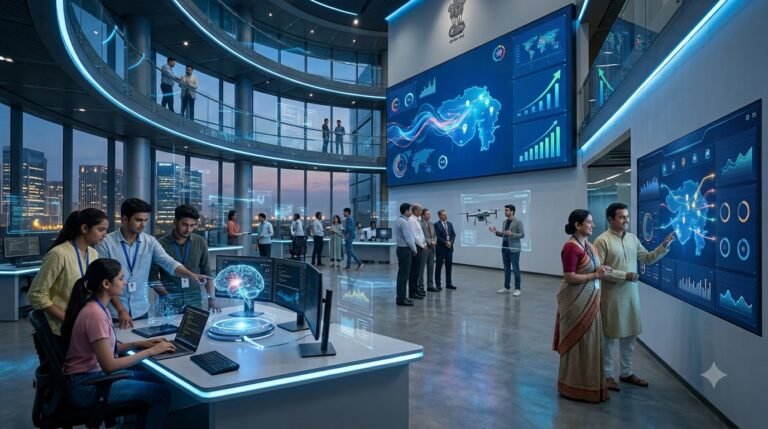
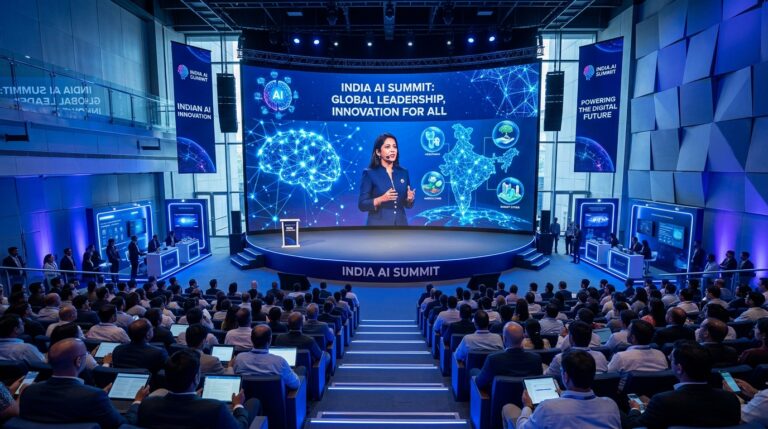
ಈ ಪ್ರಶ್ನೆಗಳ ಮಧ್ಯದಲ್ಲಿ ಇರುವ ದೊಡ್ಡ government initiative ಎಂದರೆ IndiaAI Mission.
Government of India March 2024ರಲ್ಲಿ IndiaAI Mission ಅನ್ನು ₹10,371.92 crore outlayನೊಂದಿಗೆ ಐದು ವರ್ಷಗಳ ಅವಧಿಗೆ approve ಮಾಡಿತು. ಇದರ ಉದ್ದೇಶ AI compute, indigenous foundation models, datasets, applications, skills, startup financing ಮತ್ತು Safe & Trusted AI ಸೇರಿದಂತೆ ಹಲವು layers ಒಳಗೊಂಡ comprehensive AI ecosystem build ಮಾಡುವುದು.
2026ರಲ್ಲಿ ಈ Missionನ focus ಇನ್ನಷ್ಟು practical ಆಗುತ್ತಿದೆ.
GPU compute access ವಿಸ್ತರಿಸುತ್ತಿದೆ. Indigenous AI models develop ಆಗುತ್ತಿವೆ. AIKoshನಲ್ಲಿ datasets ಮತ್ತು models ಹೆಚ್ಚಾಗಿವೆ. AI Centres of Excellence expand ಆಗುತ್ತಿವೆ. Government departments ತಮ್ಮ own AI use cases identify ಮಾಡುತ್ತಿವೆ. Students ಮತ್ತು startupsಗೆ AI infrastructure access ಮಾಡುವ ಪ್ರಯತ್ನಗಳು ನಡೆಯುತ್ತಿವೆ.
ಆದ್ದರಿಂದ India AI Mission ಅನ್ನು ಕೇವಲ ಒಂದು government scheme ಎಂದು ನೋಡುವುದಕ್ಕಿಂತ, Indiaಯ AI infrastructure ಮತ್ತು innovation ecosystem build ಮಾಡುವ long-term framework ಎಂದು ಅರ್ಥಮಾಡಿಕೊಳ್ಳುವುದು ಹೆಚ್ಚು useful.
ಈ articleನಲ್ಲಿ IndiaAI Missionನ latest verified developments, ಅದರ ಪ್ರಮುಖ pillars, students ಮತ್ತು developersಗೆ opportunities, startupsಗೆ possibilities, Indian-language AIಯ importance ಮತ್ತು ಸಾಮಾನ್ಯ users ಏನು ಗಮನಿಸಬೇಕು ಎಂಬುದನ್ನು ನೋಡೋಣ.
India AI Mission ಎಂದರೇನು?
IndiaAI Mission ಎಂದರೆ Government of Indiaಯ national-level AI initiative.
ಇದನ್ನು Ministry of Electronics and Information Technology, ಅಂದರೆ MeitY, ಮೂಲಕ implement ಮಾಡಲಾಗುತ್ತಿದೆ.
Missionನ core objective ಭಾರತದಲ್ಲಿ:
- AI infrastructure
- AI compute
- Foundation Models
- Datasets
- AI applications
- AI skills
- Startup ecosystem
- Responsible AI
ಇವುಗಳನ್ನು ಒಂದೇ broader ecosystemನಲ್ಲಿ develop ಮಾಡುವುದು.
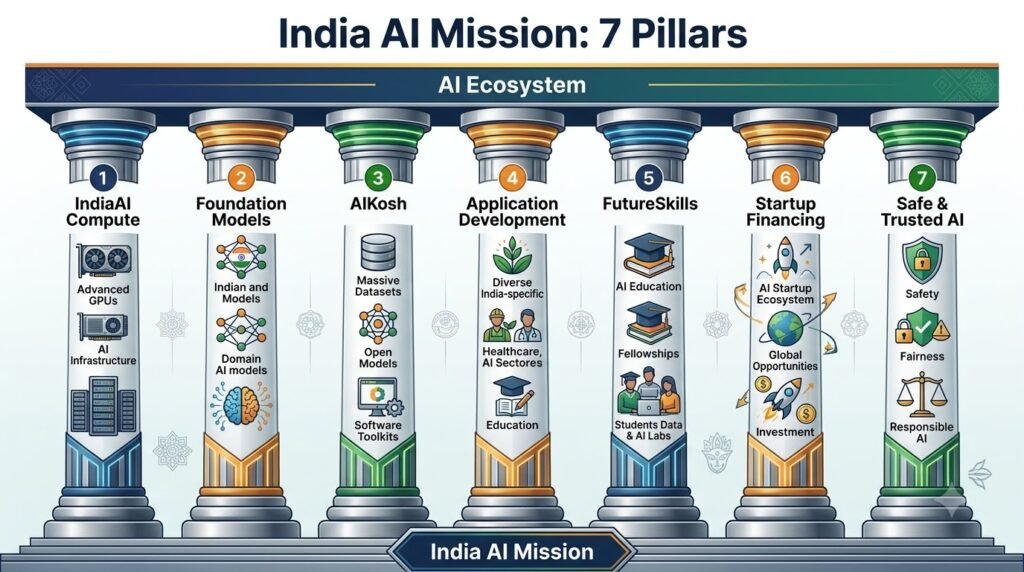
Government ಇದನ್ನು ಏಳು ಪ್ರಮುಖ pillars ಮೂಲಕ structure ಮಾಡಿದೆ:
- IndiaAI Compute
- IndiaAI Foundation Models
- AIKosh
- IndiaAI Application Development Initiative
- IndiaAI FutureSkills
- IndiaAI Startup Financing
- Safe & Trusted AI
ಈ structureನಿಂದ ಒಂದು ವಿಷಯ clear ಆಗುತ್ತದೆ.
IndiaAI Mission ಕೇವಲ “Indian ChatGPT” build ಮಾಡುವ project ಅಲ್ಲ.
ಇದು AI technologyಯ full stack ecosystem build ಮಾಡುವ ಪ್ರಯತ್ನ.
IndiaAI Mission ಎನ್ನುವುದು ಭಾರತದಲ್ಲಿ AI ecosystem ಅನ್ನು build ಮಾಡಲು ರೂಪಿಸಲಾದ national-level initiative. ಅದರ official framework ಮತ್ತು programmes ಅನ್ನು [IndiaAI Mission] websiteನಲ್ಲಿ ನೋಡಬಹುದು.
2026ರಲ್ಲಿ IndiaAI Missionನಲ್ಲಿ ಏನು ಬದಲಾಗಿದೆ?
2026ರ latest official updates ನೋಡಿದರೆ Mission ಈಗ announcement stageನಿಂದ implementation stage ಕಡೆಗೆ move ಆಗುತ್ತಿರುವುದು ಕಾಣಿಸುತ್ತದೆ.
August 2026ರ government update ಪ್ರಕಾರ:
- 15 Compute Service Providers empanelled ಆಗಿವೆ.
- 237 projectsಗೆ subsidised compute support approve ಆಗಿದೆ.
- 93.18 lakh GPU hours sanction ಆಗಿವೆ.
- ಸುಮಾರು 1.1 EFLOPS capacityಯ High-Performance AI Compute Systemಗಾಗಿ purchase order issue ಮಾಡಲಾಗಿದೆ.
- 20 indigenous foundation model proposals supportಗಾಗಿ identify ಮಾಡಲಾಗಿದೆ.
- 62 AI prototypes develop ಆಗಿವೆ.
- 20 AI solutions public-sector institutionsನಲ್ಲಿ deploy ಆಗಿವೆ.
- 58 AI Centres of Excellence approve ಆಗಿವೆ.
July 2026 government update ಪ್ರಕಾರ, 62 Ministries ಮತ್ತು Departmentsನಿಂದ 762 AI use cases/problem statements identify ಮಾಡಲಾಗಿದೆ. ಇದು AI Mission research ಮಾತ್ರವಲ್ಲದೆ actual government operations ಮತ್ತು citizen-facing services ಕಡೆಗೂ move ಆಗುತ್ತಿದೆ ಎಂಬುದನ್ನು ತೋರಿಸುತ್ತದೆ.
ಇವುಗಳಲ್ಲಿ ಕೆಲವು numbers ಮುಂದೆ update ಆಗಬಹುದು. ಆದ್ದರಿಂದ ಈ figures ಅನ್ನು September 30, 2026ರವರೆಗೆ ಲಭ್ಯವಿರುವ official snapshot ಎಂದು ನೋಡಬೇಕು.
ಇಲ್ಲಿ 45,000+ GPUs, 237 projects, 93.18 lakh GPU hours, indigenous models ಮತ್ತು AI infrastructure ಬಗ್ಗೆ numbers mention ಮಾಡುವಾಗ link ಹಾಕಿ.
1. IndiaAI Compute: GPU Access ಈಗ ದೊಡ್ಡ Priority
AI model train ಮಾಡುವುದು ಅಥವಾ large-scale inference run ಮಾಡುವುದು ಸಾಮಾನ್ಯ computerನಲ್ಲಿ ಸಾಧ್ಯವಾಗುವುದಿಲ್ಲ.
ಅದಕ್ಕೆ high-performance GPUs ಬೇಕಾಗುತ್ತವೆ.
ಒಂದು advanced AI startupಗೆ GPU infrastructure ಖರೀದಿಸಲು ದೊಡ್ಡ capital ಬೇಕಾಗಬಹುದು.
ಇಲ್ಲಿಯೇ IndiaAI Compute pillar ಪ್ರಮುಖವಾಗುತ್ತದೆ.
Government shared AI compute infrastructure ಮೂಲಕ startups, researchers, academic institutions ಮತ್ತು government organizationsಗೆ subsidised access ನೀಡುತ್ತಿದೆ.
August 2026ರ official update ಪ್ರಕಾರ 237 projectsಗೆ 93.18 lakh GPU hours sanction ಮಾಡಲಾಗಿದೆ. 15 compute service providers empanelled ಆಗಿದ್ದಾರೆ.
ಇನ್ನೊಂದು official factsheet ಪ್ರಕಾರ June 2026ರ ವೇಳೆಗೆ IndiaAI Mission shared compute capacity 45,000+ GPUsಗೆ ವಿಸ್ತರಿಸಿತ್ತು.
ಇದರ practical meaning ಏನು?
ಒಬ್ಬ startupಗೆ:
“ನಮಗೆ AI model develop ಮಾಡಬೇಕು, ಆದರೆ GPU cost ತುಂಬಾ high.”
ಎಂಬ problem ಇದ್ದರೆ, IndiaAI ecosystem ಮೂಲಕ eligible projectsಗೆ affordable compute access ಸಿಗುವ ಸಾಧ್ಯತೆ ಇದೆ.
ಇದು Studentsಗೆ ಏಕೆ Important?
Student ಅಥವಾ researcher ಒಂದು AI project build ಮಾಡುತ್ತಿದ್ದಾನೆ ಎಂದುಕೊಳ್ಳಿ.
ಉದಾಹರಣೆಗೆ:
Kannada speech recognition
Agriculture AI
Medical image analysis
Document intelligence
Indian-language translation
ಇಂತಹ projectsಗೆ compute ಬೇಕಾಗುತ್ತದೆ.
Compute access barrier ಕಡಿಮೆಯಾದರೆ experimentation ಮತ್ತು researchಗೆ entry barrier ಕೂಡ ಕಡಿಮೆಯಾಗಬಹುದು.
ಇದು students, researchers, startups, MSMEs ಮತ್ತು eligible usersಗೆ practical resource ಆಗಿರುವುದರಿಂದ commercial/utility value ಕೂಡ ಇದೆ.
2. Indigenous AI Models: India ತನ್ನದೇ Models Build ಮಾಡುತ್ತಿದೆ
IndiaAI Missionನ ಮತ್ತೊಂದು major area ಎಂದರೆ Foundation Models.
Government 506 applications receive ಮಾಡಿದ ನಂತರ 20 indigenous foundation model proposals supportಗಾಗಿ identify ಮಾಡಿದೆ. ಇವುಗಳಲ್ಲಿ 12 Large Multimodal Models ಮತ್ತು 8 Small Language Models ಸೇರಿವೆ.
ಇದು ಯಾಕೆ important?
Indiaಯ language ಮತ್ತು use cases ಬಹಳ diverse.
English-centric model ಒಂದು huge populationಗೆ useful ಆಗಬಹುದು. ಆದರೆ Indiaಯ real-world AI applicationsಗೆ:
Kannada
Hindi
Tamil
Telugu
Bengali
Marathi
Malayalam
Gujarati
ಮತ್ತು ಇನ್ನೂ ಹಲವು Indian languages support ಅಗತ್ಯವಾಗಬಹುದು.
ಇದಲ್ಲದೆ Indian users Englishನಲ್ಲಿ ಪ್ರಶ್ನೆ ಕೇಳದ ಸಂದರ್ಭಗಳೂ ಇವೆ.
ಒಬ್ಬ farmer ತನ್ನ local languageನಲ್ಲಿ AI assistant ಜೊತೆ ಮಾತನಾಡಬಹುದು.
ಒಬ್ಬ government employee regional language document process ಮಾಡಬಹುದು.
ಒಬ್ಬ student ತನ್ನ mother tongueನಲ್ಲಿ educational explanation ಕೇಳಬಹುದು.
ಇದಕ್ಕಾಗಿ Indian-language AI models ಮತ್ತು multilingual foundation models ಬಹಳ important.
3. Sarvam AI, BharatGen ಮತ್ತು ಇತರ Indigenous Models
IndiaAI Mission support ecosystemನಲ್ಲಿ ಕೆಲವು Indian AI companies ಮತ್ತು research teams ಈಗ models launch ಮಾಡಿವೆ.
Government August 2026 updateನಲ್ಲಿ Sarvam AIಯ 30B ಮತ್ತು 105B parameter models, Gnani.AIಯ speech-to-speech model, BharatGenನ multilingual foundation models ಮತ್ತು Avataar AIಯ video-generation modelಗಳನ್ನು notable outputs ಆಗಿ ಉಲ್ಲೇಖಿಸಿದೆ.
ಇದರ practical significance ಎಂದರೆ Indiaಯ AI ecosystem ಈಗ ಕೇವಲ foreign models consume ಮಾಡುವ market ಆಗಿರದೆ, Indian-context models develop ಮಾಡುವ ecosystem ಆಗಿಯೂ ಬೆಳೆಯುತ್ತಿದೆ.
ಆದರೆ ಇಲ್ಲಿ ಒಂದು distinction ಮುಖ್ಯ.
Indian model ಇದೆ ಎಂದರೆ ಅದು ಪ್ರತಿಯೊಂದು taskನಲ್ಲಿ global frontier modelಗಿಂತ better ಎಂದರ್ಥವಲ್ಲ.
Model quality ಅನ್ನು:
- Language accuracy
- Reasoning
- Context handling
- Cost
- Latency
- Safety
- Domain performance
- Deployment requirements
ಆಧಾರದಲ್ಲಿ separately evaluate ಮಾಡಬೇಕು.
4. AIKosh: India’s AI Data ಮತ್ತು Model Layer
IndiaAI Missionನಲ್ಲಿ AIKosh ಬಹಳ important infrastructure.
AIKosh ಅನ್ನು datasets, AI models, toolkits, benchmarks ಮತ್ತು related resources access ಮಾಡಲು national platform ಆಗಿ develop ಮಾಡಲಾಗುತ್ತಿದೆ.
Official July 2026 factsheet ಪ್ರಕಾರ AIKoshನಲ್ಲಿ 14,000ಕ್ಕೂ ಹೆಚ್ಚು datasets ಮತ್ತು 331 AI models ಇದ್ದವು.
ಇದು developers ಮತ್ತು researchersಗೆ ಯಾಕೆ useful?
AI application build ಮಾಡುವಾಗ model ಮಾತ್ರ ಸಾಕಾಗುವುದಿಲ್ಲ.
Data ಬೇಕು.
ಉದಾಹರಣೆಗೆ:
Agriculture AI → agricultural datasets
Healthcare AI → health-related datasets
Language AI → speech/text datasets
Climate AI → environmental datasets
Governance AI → public-sector datasets
ಹೀಗೆ application-specific data ಅಗತ್ಯವಾಗುತ್ತದೆ.
AIKosh ಈ ecosystemನಲ್ಲಿ shared resource layer ಆಗಿ ಕೆಲಸ ಮಾಡುವ ಉದ್ದೇಶ ಹೊಂದಿದೆ.
Developersಗೆ ಇದು ಇನ್ನಷ್ಟು interesting ಆಗುವುದು AIKosh ecosystemನಲ್ಲಿ MCP ಮತ್ತು SDK ರೀತಿಯ developer-oriented components ಕೂಡ ಕಾಣಿಸಿಕೊಳ್ಳುತ್ತಿರುವುದರಿಂದ. [MCP and AI Agents] ಬಗ್ಗೆ ನಮ್ಮ detailed guideನಲ್ಲಿ ಇದರ practical architecture ಅನ್ನು ನೋಡಬಹುದು.
5. AIKoshನಲ್ಲಿ Studentsಗೂ ಅವಕಾಶ ಇದೆ
August 2026ರಲ್ಲಿ IndiaAI Mission Chitkara Universityನಲ್ಲಿ AIKosh University Engagement Programme ನಡೆಸಿತು.
250ಕ್ಕೂ ಹೆಚ್ಚು students AIKosh resources, demonstrations ಮತ್ತು hands-on activitiesನಲ್ಲಿ ಭಾಗವಹಿಸಿದ್ದರು. Students AIKosh MCP ಮತ್ತು AIKosh SDK ಮೂಲಕ datasets ಮತ್ತು AI models ಅನ್ನು natural language ಮೂಲಕ discover ಮಾಡುವ possibilities ಕೂಡ explore ಮಾಡಿದರು.
ಇದು studentsಗೆ ಒಂದು important shift.
ಹಿಂದೆ AI learning ಎಂದರೆ:
Python ಕಲಿಯುವುದು
Machine Learning algorithms ಕಲಿಯುವುದು
Model train ಮಾಡುವುದು
ಎಂಬುದರ ಮೇಲೆ ಹೆಚ್ಚು focus ಇತ್ತು.
ಈಗ ಅದಕ್ಕೆ ಜೊತೆಗೆ:
Real datasets → Models → APIs → AI applications → Deployment
ಅನ್ನೂ ಕಲಿಯಬೇಕಾಗುತ್ತದೆ.
ದೊಡ್ಡ datasets ಮತ್ತು AI models available ಆಗುವುದು ಮಾತ್ರ ಸಾಕಾಗುವುದಿಲ್ಲ. ಅವುಗಳ quality, reliability ಮತ್ತು monitoring ಕೂಡ ಮುಖ್ಯ. ಇಲ್ಲಿ [AI Data Observability] concept ಪ್ರಮುಖವಾಗುತ್ತದೆ.
ಇಲ್ಲಿ AIKosh, students, MCP, SDK, university engagement ಬಗ್ಗೆ discuss ಮಾಡುವಾಗ ಹಾಕಿ.
6. Government Departments ಈಗ AI Use Cases ಹುಡುಕುತ್ತಿವೆ
IndiaAI Missionನ July 2026 updateನಲ್ಲಿ 62 Ministries ಮತ್ತು Departmentsನಿಂದ 762 AI use cases/problem statements identify ಮಾಡಲಾಗಿದೆ.
ಇದು ಒಂದು ದೊಡ್ಡ development.
ಯಾಕೆಂದರೆ AI adoptionನಲ್ಲಿ ದೊಡ್ಡ challenge technology ಅಲ್ಲ.
Use case selection.
ಒಂದು departmentಗೆ AI technology available ಇದ್ದರೂ:
“ಇದನ್ನು ಎಲ್ಲಿ ಬಳಸಬೇಕು?”
ಎಂಬ ಪ್ರಶ್ನೆಗೆ answer ಇಲ್ಲದಿದ್ದರೆ deployment ಆಗುವುದಿಲ್ಲ.
Government departments ಈಗ:
Governance
Service delivery
Operational efficiency
Sector-specific problems
ಮೇಲೆ AI use cases identify ಮಾಡುತ್ತಿರುವುದು application layerಗೆ focus ಹೆಚ್ಚಾಗಿದೆ ಎಂಬುದನ್ನು ತೋರಿಸುತ್ತದೆ.
Government departmentsನಲ್ಲಿ AI adoption ಎಷ್ಟು ವ್ಯಾಪಕವಾಗಿದೆ ಎಂಬುದನ್ನು [Government’s IndiaAI use-case update]ನಲ್ಲಿ ನೋಡಬಹುದು.
7. 62 AI Prototypes ಮತ್ತು 20 Public-Sector Deployments
IndiaAI Mission August 2026 update ಪ್ರಕಾರ 62 AI prototypes develop ಆಗಿದ್ದು, 20 AI solutions public-sector institutionsನಲ್ಲಿ deploy ಆಗಿವೆ.
ಇದರ meaning:
AI Mission ಈಗ research papers ಅಥವಾ hackathonsನಲ್ಲಿ ಮಾತ್ರ ಉಳಿದಿಲ್ಲ.
ಕೆಲವು solutions actual institutional environmentsಗೆ ಹೋಗಿವೆ.
ಆದರೆ prototype ಮತ್ತು production system ನಡುವೆ ದೊಡ್ಡ difference ಇದೆ.
Prototype:
“Technology ಕೆಲಸ ಮಾಡುತ್ತದೆ.”
ಎಂದು ತೋರಿಸಬಹುದು.
Production systemಗೆ:
Security
Scalability
Reliability
Privacy
Maintenance
Cost
Monitoring
User experience
ಎಲ್ಲವೂ ಬೇಕಾಗುತ್ತದೆ.
ಆದ್ದರಿಂದ ಮುಂದಿನ IndiaAI phaseನಲ್ಲಿ deployment quality ಒಂದು important metric ಆಗಲಿದೆ.
8. AI Centres of Excellence ವಿಸ್ತರಿಸುತ್ತಿವೆ
Government 58 AI Centres of Excellence ಅಥವಾ AI-CoEs approve ಮಾಡಿದೆ. August 2026 update ಪ್ರಕಾರ ಅವುಗಳಲ್ಲಿ 22 centres 13 States/UTsನಲ್ಲಿ approved ಮತ್ತು initiated ಆಗಿದ್ದವು.
AI Centres of Excellenceನ objective domain-specific AI research, innovation ಮತ್ತು application developmentಗೆ ecosystem build ಮಾಡುವುದು.
ಇವು futureನಲ್ಲಿ:
Research
Industry collaboration
Student training
Startup development
AI applications
Technology transfer
ಮುಂತಾದ activitiesಗೆ important hubs ಆಗಬಹುದು.
ಒಬ್ಬ studentಗೆ ಇದರಿಂದ ಏನು benefit?
ಒಂದು AI-CoE nearby university ಅಥವಾ institution ಜೊತೆ collaborate ಮಾಡಿದರೆ:
Internships
Projects
Research
Hackathons
Industry exposure
ಇವುಗಳಿಗೆ opportunities ಸಿಗಬಹುದು.
Research ecosystem ಬಲವಾಗುವುದರಿಂದ healthcare, science, climate ಮತ್ತು other domainsನಲ್ಲಿ [AI Scientific Discovery] ರೀತಿಯ applications ಬೆಳೆಯುವ ಅವಕಾಶವಿದೆ.
9. IndiaAI FutureSkills: AI Jobsಗಾಗಿ Talent Pipeline
AI infrastructure build ಮಾಡಿದರೂ skilled people ಇಲ್ಲದಿದ್ದರೆ ecosystem grow ಆಗುವುದಿಲ್ಲ.
ಅದಕ್ಕಾಗಿ IndiaAI Missionನ FutureSkills pillar important.
Government July 2026 update ಪ್ರಕಾರ 686 IndiaAI fellowships undergraduate, postgraduate ಮತ್ತು doctoral studentsಗೆ 178 institutionsನಲ್ಲಿ award ಮಾಡಲಾಗಿದೆ.
ಇದರ ಜೊತೆಗೆ Data & AI Labs ಕೂಡ expand ಆಗುತ್ತಿವೆ.
Government July/August 2026 updatesನಲ್ಲಿ ITIs ಮತ್ತು Polytechnicsನಲ್ಲಿ Data & AI Labs establish ಮಾಡುವ ಯೋಜನೆಗಳೂ ವಿವರಿಸಲಾಗಿದೆ.
ಇದು Tier-2 ಮತ್ತು Tier-3 citiesಗೆ particularly important.
AI education Bengaluru, Hyderabad, Mumbai, Delhi ಮುಂತಾದ major technology hubsಗೆ ಮಾತ್ರ ಸೀಮಿತವಾಗದೇ smaller citiesಗೂ ಹೋಗುವ ಸಾಧ್ಯತೆ ಇದರಿಂದ ಹೆಚ್ಚುತ್ತದೆ.
10. YUVA AI for All: AI Literacy ಕೂಡ Missionನ ಭಾಗ
AI development ಮಾತ್ರ ಸಾಕಾಗುವುದಿಲ್ಲ.
AI ಅನ್ನು ordinary citizens ಹೇಗೆ ಅರ್ಥಮಾಡಿಕೊಳ್ಳುತ್ತಾರೆ ಎಂಬುದೂ important.
IndiaAI ecosystemನಲ್ಲಿ YUVA AI for All ತರಹದ AI literacy initiatives ಮೂಲಕ broader populationಗೆ AI awareness develop ಮಾಡುವ ಪ್ರಯತ್ನ ನಡೆದಿದೆ.
Government July 2026 updateನಲ್ಲಿ ಈ programmeಗೆ 26 lakhಕ್ಕೂ ಹೆಚ್ಚು individuals completion ಮಾಡಿದ್ದಾರೆ ಎಂದು ತಿಳಿಸಿದೆ.
ಇದು AI adoptionನಲ್ಲಿ ಒಂದು important point ತೋರಿಸುತ್ತದೆ.
Futureನಲ್ಲಿ AI skills ಅಂದರೆ ಕೇವಲ coding ಅಲ್ಲ.
AI literacy ಕೂಡ ಒಂದು basic digital skill ಆಗಬಹುದು.
11. Startup Ecosystemಗೆ ಹೊಸ Opportunities
India AI Mission startup ecosystemಗೂ opportunities create ಮಾಡುತ್ತಿದೆ.
AI startupಗೆ ಸಾಮಾನ್ಯವಾಗಿ ನಾಲ್ಕು major barriers ಇರುತ್ತವೆ:
Data
Compute
Talent
Capital
IndiaAI Missionನ different pillars ಈ barriersನಲ್ಲಿ ಕೆಲವು ಭಾಗಗಳನ್ನು address ಮಾಡಲು design ಮಾಡಲಾಗಿದೆ.
ಉದಾಹರಣೆಗೆ:
Compute pillar → GPU access
AIKosh → Data/models/tools
FutureSkills → Talent
Startup Financing → Capital ecosystem
Foundation Models → Base AI infrastructure
ಈ layers ಒಂದಕ್ಕೊಂದು connect ಆದಾಗ startup ecosystemಗೆ useful environment ನಿರ್ಮಾಣವಾಗಬಹುದು.
12. Indian Startups Global Market ಕಡೆ ಹೋಗುವ ಅವಕಾಶ
IndiaAI Missionನ IndiaAI Startups Global programme ಮೂಲಕ Indian AI startupsಗೆ international markets access ಮಾಡುವ ಪ್ರಯತ್ನವೂ ನಡೆದಿದೆ.
Government documentation ಪ್ರಕಾರ Station F ಮತ್ತು HEC Paris ಜೊತೆ collaborationನಲ್ಲಿ 10 Indian AI startups select ಮಾಡಿ European market expansionಗೆ support ನೀಡಲಾಗಿದೆ.
ಇದು Indian startup foundersಗೆ important message.
Indiaಯ AI opportunity domestic marketಗೆ ಮಾತ್ರ ಸೀಮಿತವಾಗಬೇಕಿಲ್ಲ.
Indian startups:
Europe
Middle East
Southeast Asia
Africa
Global enterprise market
ಮುಂತಾದ ಕಡೆಗೂ AI solutions ತೆಗೆದುಕೊಂಡು ಹೋಗಬಹುದು.
ಆದರೆ global expansionಗೆ technology ಮಾತ್ರ ಸಾಕಾಗುವುದಿಲ್ಲ.
Compliance, data protection, localization, pricing ಮತ್ತು enterprise sales ಕೂಡ equally important.
Indian AI startupsಗೆ domestic market ಮಾತ್ರವಲ್ಲದೆ international expansion opportunities ಕೂಡ ಸೃಷ್ಟಿಯಾಗುತ್ತಿವೆ. [IndiaAI Startups Global] programme ಇದಕ್ಕೆ ಒಂದು ಉದಾಹರಣೆ.
13. Kannada ಮತ್ತು Indian Languagesಗೆ ಇದು ಏನು Meaning?
ಇದು AI Kannada Tech readersಗೆ ವಿಶೇಷವಾಗಿ important point.
Indiaಯ AI ecosystem ಬೆಳೆಯುವಾಗ regional-language AI ಒಂದು major opportunity.
ಒಂದು Kannada user:
“ನನ್ನ businessಗೆ AI ಹೇಗೆ ಬಳಸಬಹುದು?”
ಎಂದು Kannadaನಲ್ಲಿ ಕೇಳಬಹುದು.
AI answer Kannadaನಲ್ಲಿ ಬರಬೇಕು.
ಅದೇ ಸಮಯದಲ್ಲಿ technical terms:
API
AI Agent
Prompt
Automation
Dataset
Model
ಇವು Englishನಲ್ಲಿ ಉಳಿಯಬಹುದು.
ಇಂತಹ hybrid language workflows Indian usersಗೆ ಹೆಚ್ಚು natural ಆಗಬಹುದು.
IndiaAI Missionನಲ್ಲಿ multilingual foundation models ಮತ್ತು Indian-language resourcesಗೆ support ಇರುವುದರಿಂದ regional-language AI applicationsಗೆ ecosystem support develop ಆಗುವ ಸಾಧ್ಯತೆ ಇದೆ. Government BharatGenನ multilingual models ಮತ್ತು Indian-language AI resources ಕುರಿತು ಕೂಡ update ನೀಡಿದೆ.
14. Safe & Trusted AI ಕೂಡ Missionನ ಪ್ರಮುಖ ಭಾಗ
AI adoption ವೇಗವಾಗಿ ನಡೆಯುತ್ತಿದ್ದರೆ safety ಕೂಡ equally important.
IndiaAI Missionನಲ್ಲಿ Safe & Trusted AI pillar ಇದೆ.
Government July 2026 update ಪ್ರಕಾರ 13 Responsible AI projects select ಮಾಡಲಾಗಿದೆ.
ಇವು:
- Bias mitigation
- Machine unlearning
- Privacy-preserving AI
- Algorithm auditing
- Explainable AI
- Deepfake detection
- AI risk assessment
ಮುಂತಾದ areas ಮೇಲೆ focus ಮಾಡುತ್ತಿವೆ.
ಇದು important ಯಾಕೆ?
ಒಂದು AI system technically powerful ಆಗಿದ್ದರೂ:
Wrong decision
Bias
Privacy leak
Deepfake
Security vulnerability
ಉಂಟಾದರೆ real-world damage ಆಗಬಹುದು.
ಆದ್ದರಿಂದ IndiaAI Missionನಲ್ಲಿ AI development ಜೊತೆಗೆ responsible AI infrastructure ಕೂಡ build ಮಾಡುವ ಪ್ರಯತ್ನ ಇದೆ.
AI adoption ಹೆಚ್ಚಾಗುತ್ತಿದ್ದಂತೆ safety, transparency ಮತ್ತು responsible AI ಕೂಡ equally important ಆಗುತ್ತವೆ. Governmentನ [Safe & Trusted AI update]ನಲ್ಲಿ ಈ areaಗೆ ಸಂಬಂಧಿಸಿದ initiatives ವಿವರಿಸಲಾಗಿದೆ.
15. IndiaAI ಮತ್ತು AI Governance
AI governance ಕೂಡ Indiaಯ AI strategyಯಲ್ಲಿ important ಆಗುತ್ತಿದೆ.
Government India AI Governance Guidelines ಅನ್ನು November 2025ರಲ್ಲಿ release ಮಾಡಿತ್ತು ಎಂದು July 2026 PIB update ತಿಳಿಸುತ್ತದೆ. ಅದರೊಂದಿಗೆ AI Governance and Economic Group, Technology and Policy Expert Committee ಮತ್ತು AI Safety Institute ಮುಂತಾದ institutional mechanisms initiate ಮಾಡಲಾಗಿದೆ.
ಇದರ goal AI ಅನ್ನು completely stop ಮಾಡುವುದು ಅಲ್ಲ.
ಬದಲಾಗಿ:
Innovation
Safety
Privacy
Accountability
Transparency
Economic growth
ಇವುಗಳ ನಡುವೆ practical framework develop ಮಾಡುವುದು.
AI technology fast ಆಗಿ evolve ಆಗುತ್ತಿರುವುದರಿಂದ governance ಕೂಡ static ಆಗಿರಲು ಸಾಧ್ಯವಿಲ್ಲ.
16. IndiaAI Mission ಮತ್ತು AI Computeನಲ್ಲಿ Self-Reliance
India AI infrastructure build ಮಾಡುವಾಗ ಒಂದು ದೊಡ್ಡ strategic question ಇದೆ:
India ತನ್ನ AI computeಗಾಗಿ ಎಷ್ಟು ಮಟ್ಟಿಗೆ domestic ecosystem build ಮಾಡಬಹುದು?
Current IndiaAI compute ecosystem globally sourced GPUs ಮೇಲೆ heavily depends ಆಗಿದೆ. August 2026 government updateನಲ್ಲಿ shared compute infrastructureನಲ್ಲಿ globally sourced GPUs ಬಳಕೆಯಾಗುತ್ತಿರುವುದನ್ನು ಸ್ಪಷ್ಟವಾಗಿ ಹೇಳಲಾಗಿದೆ. ಜೊತೆಗೆ Delhiಯ NIC Data Centreನಲ್ಲಿ ಸುಮಾರು 1.1 EFLOPS High-Performance AI Compute System ಸ್ಥಾಪಿಸಲು purchase order issue ಮಾಡಲಾಗಿದೆ.
ಅಂದರೆ self-reliance ಎಂದರೆ immediate ಆಗಿ every GPU ಅನ್ನು Indiaಯಲ್ಲೇ manufacture ಮಾಡುವುದು ಅಲ್ಲ.
ಇದು broader ecosystem:
Compute capacity
Data centres
Semiconductors
AI models
Research
Talent
Software
ಇವುಗಳ capability build ಮಾಡುವ long-term process.
17. IndiaAI Mission ಸಾಮಾನ್ಯ AI Userಗೆ ಏನು ಕೊಡಬಹುದು?
ಇಲ್ಲಿ ಒಂದು misconception avoid ಮಾಡಬೇಕು.
IndiaAI Mission ಎಂದರೆ ಪ್ರತಿಯೊಬ್ಬ citizenಗೆ direct cash benefit ಅಥವಾ free ChatGPT subscription ಸಿಗುತ್ತದೆ ಎಂದಲ್ಲ.
Missionನ benefits mostly ecosystem levelನಲ್ಲಿ ಬರುತ್ತವೆ.
ಒಬ್ಬ ordinary userಗೆ indirect benefits:
Better Indian-language AI
Regional language models ಮತ್ತು datasets improve ಆಗಬಹುದು.
More AI Applications
Healthcare, agriculture, education ಮತ್ತು governanceನಲ್ಲಿ India-specific AI solutions ಹೆಚ್ಚಾಗಬಹುದು.
More AI Startups
New AI products ಮತ್ತು services develop ಆಗಬಹುದು.
Better AI Skills
Students ಮತ್ತು professionalsಗೆ training opportunities ಹೆಚ್ಚಾಗಬಹುದು.
Public Servicesನಲ್ಲಿ AI
Government departmentsನಲ್ಲಿ AI-based services expand ಆಗಬಹುದು.
ಇವು gradual ecosystem effects.
18. Students ಏನು ಮಾಡಬೇಕು?
IndiaAI Missionನ growth ನೋಡುತ್ತಿರುವ studentsಗೆ ಒಂದು practical lesson ಇದೆ.
ಕೇವಲ “AI course certificate” collect ಮಾಡುವುದಕ್ಕಿಂತ actual project building ಮೇಲೆ focus ಮಾಡುವುದು useful.
ಒಬ್ಬ student ಈ roadmap follow ಮಾಡಬಹುದು:
Stage 1
AI basics
Stage 2
Python ಮತ್ತು data fundamentals
Stage 3
Machine Learning basics
Stage 4
Generative AI
Stage 5
LLMs
Stage 6
RAG ಮತ್ತು AI Agents
Stage 7
APIs ಮತ್ತು cloud
Stage 8
ಒಂದು India-specific project
ಉದಾಹರಣೆಗೆ:
Kannada AI chatbot
Agriculture assistant
Local-language education tool
Document translation system
Small business AI assistant
ಇಂತಹ project portfolioನಲ್ಲಿ strong practical evidence ಕೊಡಬಹುದು.
19. Developersಗೆ ಯಾವ Opportunities ಇರಬಹುದು?
IndiaAI ecosystem ಬೆಳೆಯುತ್ತಿದ್ದಂತೆ AI developmentನಲ್ಲಿ ಕೆಲವು areas ಹೆಚ್ಚು relevant ಆಗಬಹುದು:
LLM Application Development
Existing models ಬಳಸಿ applications build ಮಾಡುವುದು.
RAG Engineering
Company documents ಮತ್ತು domain knowledge ಜೊತೆ AI connect ಮಾಡುವುದು.
AI Agents
Multi-step AI workflows build ಮಾಡುವುದು.
Data Engineering
AI training ಮತ್ತು retrievalಗಾಗಿ clean datasets prepare ಮಾಡುವುದು.
AI Evaluation
Modelsನ accuracy, safety ಮತ್ತು reliability test ಮಾಡುವುದು.
Multilingual AI
Indian-language AI applications develop ಮಾಡುವುದು.
AI Infrastructure
Compute, deployment ಮತ್ತು inference optimization.
Responsible AI
Bias, privacy, security ಮತ್ತು explainability.
ಇವುಗಳಲ್ಲಿ ಎಲ್ಲವೂ ಒಂದೇ ಸಮಯದಲ್ಲಿ equally large job market ಆಗುತ್ತದೆ ಎಂದು assume ಮಾಡಬಾರದು. ಆದರೆ IndiaAI Missionನ infrastructure priorities ನೋಡಿದರೆ ಈ skill areasಗೆ ecosystem relevance ಇದೆ.
20. Small Businessesಗೆ IndiaAI Mission ಹೇಗೆ Relevant?
ಒಬ್ಬ small business owner:
“Government Mission ನನಗೆ ಏನು?”
ಎಂದು ಕೇಳಬಹುದು.
ನೇರವಾಗಿ ನೋಡಿದರೆ IndiaAI Mission ಒಂದು consumer subscription programme ಅಲ್ಲ.
ಆದರೆ indirect opportunities ಬಹಳ interesting.
ಉದಾಹರಣೆಗೆ:
ಒಬ್ಬ Bengaluru-based startup local-language customer support AI build ಮಾಡಬಹುದು.
ಒಬ್ಬ Karnataka entrepreneur agriculture advisory AI develop ಮಾಡಬಹುದು.
ಒಬ್ಬ freelancer Indian-language AI automation service offer ಮಾಡಬಹುದು.
ಒಬ್ಬ education company regional-language AI tutor build ಮಾಡಬಹುದು.
ಅಂದರೆ Mission ecosystem build ಮಾಡಿದಂತೆ private-sector application opportunities ಕೂಡ ಹೆಚ್ಚಾಗಬಹುದು.
ಸಣ್ಣ business ownersಗೆ IndiaAI Missionನ impact direct government project ರೂಪದಲ್ಲಿ ಬರಬೇಕೆಂದೇನಿಲ್ಲ. ಅವರು AI tools ಬಳಸಿ [personal AI assistant] ರೀತಿಯ solutions ನಿರ್ಮಿಸಿ customer support, content, research ಮತ್ತು routine automationನಲ್ಲಿ ಬಳಸಬಹುದು.
21. IndiaAI Missionನಲ್ಲಿ ಈಗಿನ Biggest Opportunity ಯಾವುದು?
ಒಂದು single opportunity ಎಂದು ಹೇಳುವುದಕ್ಕಿಂತ, infrastructure + models + data + skills ಇವುಗಳ combination ಮುಖ್ಯ.
ಒಂದು model ಮಾತ್ರ ಇದ್ದರೆ ecosystem ಆಗುವುದಿಲ್ಲ.
ಒಂದು GPU cluster ಮಾತ್ರ ಇದ್ದರೆ ಕೂಡ ecosystem ಆಗುವುದಿಲ್ಲ.
ಒಳ್ಳೆಯ datasets ಇದ್ದರೂ skilled developers ಇಲ್ಲದಿದ್ದರೆ deployment ಆಗುವುದಿಲ್ಲ.
ಆದ್ದರಿಂದ IndiaAI Missionನ value ಅದರ individual programmesಗಿಂತ ecosystem approachನಲ್ಲಿ ಇದೆ.
22. IndiaAI Missionನ Challenges ಕೂಡ ಇವೆ
Government initiatives ಬಗ್ಗೆ ಮಾತನಾಡುವಾಗ opportunities ಮಾತ್ರ ನೋಡುವುದು complete picture ಅಲ್ಲ.
Compute Demand
AI models ದೊಡ್ಡದಾಗುತ್ತಿದ್ದಂತೆ GPU demand ಕೂಡ ಹೆಚ್ಚಾಗುತ್ತದೆ.
Model Quality
Indian models develop ಆಗುವುದು ಒಂದು step. ಅವುಗಳನ್ನು globally competitive, reliable ಮತ್ತು cost-effective ಮಾಡುವುದು ಇನ್ನೊಂದು challenge.
Data Quality
More datasets ಎಂದರೆ automatically better AI ಎಂದಲ್ಲ.
Data quality, licensing, privacy ಮತ್ತು documentation important.
Talent
AI researchers, engineers, product managers ಮತ್ತು responsible-AI specialistsನ demand ಹೆಚ್ಚಾಗಬಹುದು.
Deployment
Prototype build ಮಾಡುವುದು ಮತ್ತು production system operate ಮಾಡುವುದು ಬೇರೆ.
Trust
Users AI systems ಮೇಲೆ trust develop ಮಾಡಲು accuracy, transparency ಮತ್ತು accountability ಅಗತ್ಯ.
ಈ challenges address ಮಾಡುವುದು IndiaAI Missionನ ಮುಂದಿನ phaseಗೆ important.
23. IndiaAI Mission ಮತ್ತು Global AI Competition
AI ಈಗ purely software competition ಅಲ್ಲ.
Countries compete ಮಾಡುತ್ತಿರುವ areas:
- AI compute
- Chips
- Foundation models
- Data
- Talent
- Research
- AI startups
- Governance
- Energy infrastructure
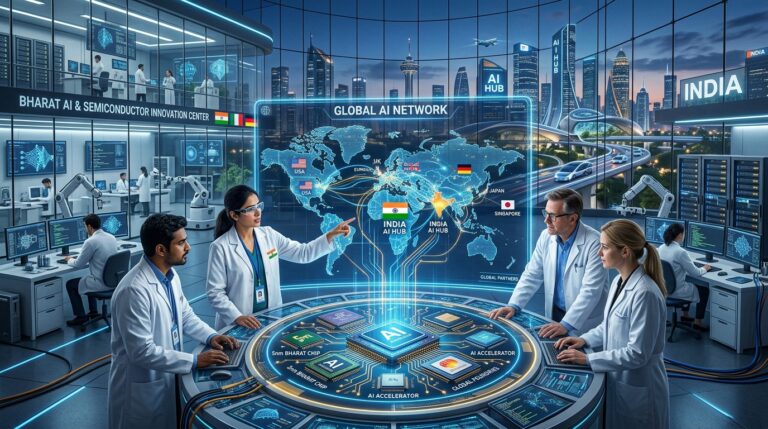
IndiaAI Mission ಈ broader competitionನಲ್ಲಿ Indiaಯ domestic capabilities strengthen ಮಾಡುವ ಒಂದು part.
Government ತನ್ನ recent updatesನಲ್ಲಿ AI infrastructure ಮತ್ತು semiconductor initiatives ಅನ್ನು technological self-relianceಗೆ ಸಂಬಂಧಿಸಿದ broader strategyಯ ಭಾಗವಾಗಿ ವಿವರಿಸಿದೆ.
ಆದರೆ global AI position ಅನ್ನು ಒಂದೇ government missionನಿಂದ measure ಮಾಡುವುದು ಸರಿಯಾಗುವುದಿಲ್ಲ.
Private companies, universities, researchers, startups ಮತ್ತು global partnerships ಕೂಡ equally important.
24. IndiaAI Missionನಲ್ಲಿ ಮುಂದೇನು ನೋಡಬೇಕು?
ಮುಂದಿನ ಹಂತದಲ್ಲಿ users ಮತ್ತು developers ಗಮನಿಸಬೇಕಾದ ಕೆಲವು indicators ಇವೆ.
GPU Access
Shared compute capacity ಇನ್ನಷ್ಟು scale ಆಗುತ್ತದೆಯೇ?
Foundation Models
Indian modelsನ performance ಮತ್ತು adoption ಹೇಗೆ evolve ಆಗುತ್ತದೆ?
AIKosh
Datasets, models ಮತ್ತು toolkits ಇನ್ನಷ್ಟು expand ಆಗುತ್ತವೆಯೇ?
Government AI Deployment
Identified 762 use casesನಲ್ಲಿ ಎಷ್ಟು production deployments ಆಗುತ್ತವೆ?
AI Centres of Excellence
Approved centres actual research ಮತ್ತು startup ecosystemಗೆ ಎಷ್ಟು contribution ಕೊಡುತ್ತವೆ?
Skills
AI fellowships, labs ಮತ್ತು training programmes ಎಷ್ಟು studentsಗೆ reach ಆಗುತ್ತವೆ?
Responsible AI
Safety, privacy ಮತ್ತು evaluation frameworks practical deploymentನಲ್ಲಿ ಹೇಗೆ ಬಳಸಲಾಗುತ್ತವೆ?
ಇವುಗಳನ್ನು track ಮಾಡಿದರೆ IndiaAI Missionನ real impact ಅನ್ನು announcementsಗಿಂತ implementation ಆಧಾರದಲ್ಲಿ ಅರ್ಥಮಾಡಿಕೊಳ್ಳಬಹುದು.
IndiaAI Mission: Simple Summary
ಒಂದು simple frameworkನಲ್ಲಿ IndiaAI Mission ಅನ್ನು ನೋಡಿದರೆ:
Compute
Indiaಗೆ AI computing infrastructure.
↓
Models
Indian foundation models ಮತ್ತು domain-specific AI.
↓
Data
AIKosh ಮೂಲಕ datasets ಮತ್ತು AI resources.
↓
Applications
Real-world India-specific AI solutions.
↓
Skills
Students, researchers ಮತ್ತು professionalsಗೆ AI capabilities.
↓
Startups
AI businessesಗೆ ecosystem ಮತ್ತು financing support.
↓
Safety
Responsible, secure ಮತ್ತು trustworthy AI.
ಈ seven layers combine ಆಗಿ Indiaಯ broader AI ecosystem build ಮಾಡುವ ಉದ್ದೇಶ ಹೊಂದಿವೆ.
ಇದು multiple statistics ಒಂದೇ ಜಾಗದಲ್ಲಿ support ಮಾಡಲು useful.
Final Takeaways
2026ರ latest official updates ನೋಡಿದಾಗ IndiaAI Mission ಈಗ concept ಅಥವಾ announcement stageನಲ್ಲಿ ಮಾತ್ರ ಇಲ್ಲ.
Compute infrastructure expand ಆಗುತ್ತಿದೆ.
20 indigenous foundation model proposals supportಗಾಗಿ identify ಆಗಿವೆ.
237 projectsಗೆ subsidised compute support sanction ಆಗಿದೆ.
AIKoshನಲ್ಲಿ 14,000ಕ್ಕೂ ಹೆಚ್ಚು datasets ಮತ್ತು 331 AI models ಇದ್ದವು ಎಂದು official July 2026 factsheet ಹೇಳುತ್ತದೆ.
62 AI prototypes ಮತ್ತು 20 public-sector AI solutions develop/deploy ಆಗಿವೆ.
58 AI Centres of Excellence approve ಆಗಿವೆ.
Government departments 762 AI use cases identify ಮಾಡಿವೆ.
AI fellowships ಮತ್ತು Data & AI Labs ಮೂಲಕ talent ecosystem ಕೂಡ expand ಆಗುತ್ತಿದೆ.
ಇವೆಲ್ಲವನ್ನು ಒಟ್ಟಿಗೆ ನೋಡಿದಾಗ IndiaAI Missionನ focus ಮೂರು wordsನಲ್ಲಿ ಹೇಳಬಹುದು:
Build. Access. Apply.
Build AI infrastructure.
Give researchers, startups and institutions access.
Then apply AI to real Indian problems.
ಆದರೆ actual success ಅನ್ನು announcements ಅಥವಾ number of programmes ಮೂಲಕ ಮಾತ್ರ measure ಮಾಡಬಾರದು.
ಮುಂದಿನ ಕೆಲವು ವರ್ಷಗಳಲ್ಲಿ ಮುಖ್ಯ ಪ್ರಶ್ನೆಗಳು:
Indian AI models ಎಷ್ಟು useful ಆಗುತ್ತವೆ?
Government AI solutions ಎಷ್ಟು effectively deploy ಆಗುತ್ತವೆ?
Startups ಎಷ್ಟು globally competitive products build ಮಾಡುತ್ತವೆ?
Regional-language AI ಎಷ್ಟು ಜನರಿಗೆ useful ಆಗುತ್ತದೆ?
AI infrastructure ಎಷ್ಟು accessible ಆಗುತ್ತದೆ?
ಮತ್ತು AI adoption ಎಷ್ಟು responsible ಆಗಿರುತ್ತದೆ?
ಇವುಗಳ ಉತ್ತರವೇ IndiaAI Missionನ long-term impact ಅನ್ನು ಹೆಚ್ಚು ಸ್ಪಷ್ಟವಾಗಿ ತೋರಿಸುತ್ತದೆ.
FAQs
India AI Mission ಎಂದರೇನು?
IndiaAI Mission Government of Indiaಯ national AI initiative. ಇದು AI compute, foundation models, datasets, applications, skills, startup financing ಮತ್ತು Safe & Trusted AI ಸೇರಿದಂತೆ ಹಲವು pillars ಮೂಲಕ India’s AI ecosystem build ಮಾಡುವ ಉದ್ದೇಶ ಹೊಂದಿದೆ.
IndiaAI Missionಗೆ ಎಷ್ಟು budget ಇದೆ?
Government of India March 2024ರಲ್ಲಿ IndiaAI Missionಗೆ ₹10,371.92 crore outlay ಅನ್ನು ಐದು ವರ್ಷಗಳ ಅವಧಿಗೆ approve ಮಾಡಿತು.
IndiaAI Missionನಲ್ಲಿ GPU compute ಸಿಗುತ್ತದೆಯೇ?
Eligible projectsಗೆ IndiaAI compute ecosystem ಮೂಲಕ subsidised AI compute access ನೀಡಲಾಗುತ್ತಿದೆ. August 2026ರ official update ಪ್ರಕಾರ 237 projectsಗೆ 93.18 lakh GPU hours sanction ಆಗಿದ್ದವು.
AIKosh ಎಂದರೇನು?
AIKosh IndiaAI ecosystemನ data ಮತ್ತು AI resource platform. ಇದು datasets, AI models, toolkits ಮತ್ತು related resourcesಗೆ access ಒದಗಿಸುವ ಉದ್ದೇಶ ಹೊಂದಿದೆ. July 2026 official factsheet ಪ್ರಕಾರ AIKoshನಲ್ಲಿ 14,000ಕ್ಕೂ ಹೆಚ್ಚು datasets ಮತ್ತು 331 AI models ಇದ್ದವು.
IndiaAI Mission Indian-language AIಗೆ support ಮಾಡುತ್ತದೆಯೇ?
ಹೌದು. Missionನಲ್ಲಿ multilingual ಮತ್ತು India-specific foundation modelsಗೆ support ಇದೆ. Government BharatGenನ multilingual models ಮತ್ತು ಇತರ Indian-language AI initiatives ಅನ್ನು official updatesನಲ್ಲಿ ಉಲ್ಲೇಖಿಸಿದೆ.
Studentsಗೆ IndiaAI Missionನಿಂದ ಏನು opportunities ಇವೆ?
AI fellowships, Data & AI Labs, AIKosh University Engagement Programme ಮತ್ತು AI Centres of Excellence ಮುಂತಾದ initiatives studentsಗೆ AI learning, research ಮತ್ತು practical project opportunities ಒದಗಿಸುವ ecosystem build ಮಾಡುವ ಉದ್ದೇಶ ಹೊಂದಿವೆ.
IndiaAI Mission startupsಗೆ ಹೇಗೆ ಸಹಾಯ ಮಾಡಬಹುದು?
Compute access, datasets, AI models, startup ecosystem support ಮತ್ತು international acceleration initiatives ಮೂಲಕ AI startupsಗೆ infrastructure ಮತ್ತು market opportunities develop ಮಾಡುವ ಪ್ರಯತ್ನ ನಡೆಯುತ್ತಿದೆ.
IndiaAI Mission ಎಂದರೆ ಎಲ್ಲರಿಗೂ free AI tools ಸಿಗುತ್ತವೆಯೇ?
ಅಗತ್ಯವಿಲ್ಲ. IndiaAI Mission ಒಂದು general consumer AI subscription programme ಅಲ್ಲ. ಇದರ primary focus national AI infrastructure, innovation, skills, applications ಮತ್ತು responsible AI ecosystem build ಮಾಡುವುದು.
IndiaAI Missionನಲ್ಲಿ AI safety ಇದೆಯೇ?
ಹೌದು. Safe & Trusted AI ಒಂದು ಪ್ರಮುಖ pillar. Government 13 Responsible AI projects ಅನ್ನು bias mitigation, privacy-preserving AI, explainability, deepfake detection ಮತ್ತು algorithm auditing ಮುಂತಾದ areasಗಾಗಿ select ಮಾಡಿದೆ.
Conclusion
Indiaಯ AI future ಅನ್ನು ಕೇವಲ foreign AI tools ಬಳಸುವುದರಿಂದ build ಮಾಡಲು ಸಾಧ್ಯವಿಲ್ಲ.
Indiaಗೆ ತನ್ನದೇ:
Compute
Data
Models
Talent
Applications
Startups
ಮತ್ತು
Responsible AI frameworks
ಬೇಕಾಗುತ್ತದೆ.
IndiaAI Mission ಈ complete ecosystem build ಮಾಡುವ ಪ್ರಯತ್ನವಾಗಿದೆ.
ಇದು ಇನ್ನೂ evolving programme. ಕೆಲವು initiatives scale ಆಗುತ್ತಿವೆ, ಕೆಲವು prototypes stageನಲ್ಲಿ ಇವೆ ಮತ್ತು ಕೆಲವು areasನಲ್ಲಿ long-term implementation ಇನ್ನೂ ನಡೆಯಬೇಕಿದೆ.
ಆದ್ದರಿಂದ IndiaAI Mission ಅನ್ನು “India already solved AI” ಎಂಬ conclusion ಆಗಿಯೂ ನೋಡಬಾರದು, ಅಥವಾ “ಇದು ಕೇವಲ announcement” ಎಂದು dismiss ಮಾಡಲೂ ಆಗುವುದಿಲ್ಲ.
2026ರ official progress ನೋಡಿದರೆ infrastructure, models, datasets, skills ಮತ್ತು applications ಎಂಬ ಹಲವು layersನಲ್ಲಿ measurable implementation ನಡೆಯುತ್ತಿದೆ.
ಮುಂದಿನ ಹಂತದಲ್ಲಿ ಅದರ real test ಒಂದೇ:
India ತನ್ನ AI infrastructure ಅನ್ನು ಎಷ್ಟು effectively real-world solutions ಆಗಿ convert ಮಾಡುತ್ತದೆ?
ಅದರ ಉತ್ತರವೇ IndiaAI Missionನ long-term success ಅನ್ನು ನಿರ್ಧರಿಸುವ ಪ್ರಮುಖ factor ಆಗಲಿದೆ.