
Best AI Meeting Assistants Compared: Notes, Summaries and Action Items
Introduction
ಪ್ರತಿ meeting ನಂತರ ಒಂದು common problem ಏನು ಗೊತ್ತಾ?
“Meetingನಲ್ಲಿ ಏನು discuss ಆಯಿತು?”
“ಯಾರಿಗೆ ಯಾವ task assign ಆಯಿತು?”
“Next deadline ಯಾವಾಗ?”
Manual notes ಬರೆಯುವುದು time-consuming. ಕೆಲವೊಮ್ಮೆ important points miss ಆಗುತ್ತವೆ.
ಇದನ್ನೇ solve ಮಾಡಲು AI Meeting Assistant tools ಬಂದಿವೆ.
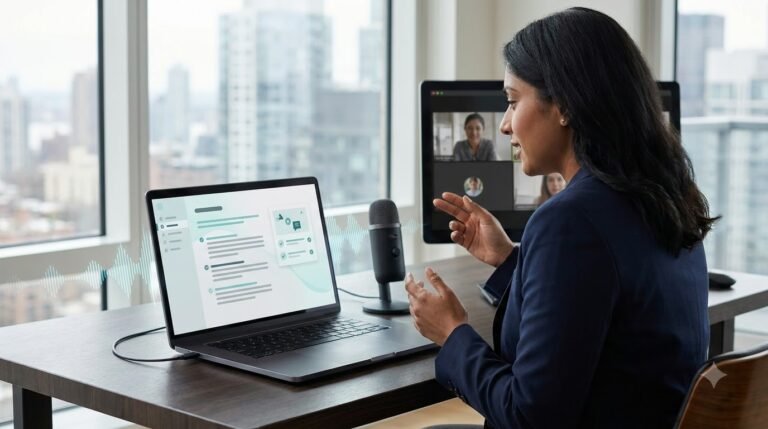
ಒಳ್ಳೆಯ AI Meeting Assistant meeting ಅನ್ನು automatically record ಮಾಡಿ, conversation ಅನ್ನು transcript ಮಾಡುತ್ತದೆ, summary generate ಮಾಡುತ್ತದೆ ಮತ್ತು action items create ಮಾಡುತ್ತದೆ.
Whether ನೀವು Google Meet, Microsoft Teams ಅಥವಾ Zoom use ಮಾಡುತ್ತಿದ್ದರೂ, modern AI tools productivity ಅನ್ನು next levelಗೆ ತೆಗೆದುಕೊಂಡು ಹೋಗುತ್ತಿವೆ.
ಈ guideನಲ್ಲಿ 2026ರ best AI meeting assistants, features, pricing, advantages ಹಾಗೂ ಯಾವ tool ನಿಮಗೆ best ಅನ್ನೋದನ್ನು Hybrid Kannada + Englishನಲ್ಲಿ ನೋಡೋಣ.
What is an AI Meeting Assistant?
AI Meeting Assistant ಅಂದರೆ meetings ಅನ್ನು automatically listen ಮಾಡಿ, understand ಮಾಡಿ ಮತ್ತು useful output generate ಮಾಡುವ Artificial Intelligence software.
ಇದು ಮಾಡಬಹುದಾದ ಪ್ರಮುಖ ಕೆಲಸಗಳು:
- Automatic Meeting Recording
- Speech-to-Text Transcription
- AI Meeting Summaries
- Action Items Detection
- Speaker Identification
- Follow-up Notes
- Calendar Integration
- Team Collaboration
ಇದರಿಂದ manual note-taking almost eliminate ಆಗುತ್ತದೆ.
Why AI Meeting Assistants Are Becoming Popular
ಇಂದು remote work ಹಾಗೂ hybrid work culture ಹೆಚ್ಚಾಗಿರುವುದರಿಂದ meetings ಕೂಡ ಹೆಚ್ಚಾಗಿವೆ.
ಒಂದು employee ದಿನಕ್ಕೆ 3–8 meetings attend ಮಾಡಬಹುದು.
ಆದ್ದರಿಂದ AI Meeting Assistant tools ಕೆಳಗಿನ benefits ಕೊಡುತ್ತವೆ:
- Time Saving
- Better Documentation
- Improved Productivity
- Accurate Meeting Records
- Easy Knowledge Sharing
- Better Team Collaboration
Key Features to Look For
ಒಳ್ಳೆಯ AI Meeting Assistantನಲ್ಲಿ ಈ features ಇರಬೇಕು.
Live Transcription
Meeting ನಡೆಯುತ್ತಿರುವಾಗಲೇ speech ಅನ್ನು textಗೆ convert ಮಾಡುತ್ತದೆ.
AI Summary
ಒಂದು long meeting ಅನ್ನು ಕೆಲವೇ secondsನಲ್ಲಿ concise summary ಆಗಿ convert ಮಾಡುತ್ತದೆ.
Action Items
AI automatically identify ಮಾಡುತ್ತದೆ:
- Who should do what?
- Due dates
- Follow-up tasks
- Responsibilities
Speaker Recognition
Different speakers ಅನ್ನು automatically identify ಮಾಡುತ್ತದೆ.
Searchable Notes
Old meetings ಕೂಡ keyword search ಮೂಲಕ easily ಹುಡುಕಬಹುದು.
Multi-language Support
Kannada, English ಹಾಗೂ other languages support ಇದ್ದರೆ teamsಗೆ ಇನ್ನೂ useful.
Best AI Meeting Assistants Compared
| Tool | Best For | Free Plan | AI Summary | Action Items |
|---|---|---|---|---|
| Otter.ai | Individuals | ✅ | ✅ | ✅ |
| Fireflies.ai | Teams | ✅ | ✅ | ✅ |
| Fathom AI | Sales Meetings | ✅ | ✅ | ✅ |
| Notta | Multilingual Notes | ✅ | ✅ | ✅ |
| tl;dv | Google Meet & Zoom | ✅ | ✅ | ✅ |
| Avoma | Business Teams | Trial | ✅ | ✅ |
1. Otter.ai
Otter.ai is one of the most popular AI Meeting Assistant platforms.
Best For
- Students
- Freelancers
- Teams
- Business Meetings
Features
- Live transcription
- AI summaries
- Speaker recognition
- Meeting history
- Zoom integration
Pros
- Easy to use
- Accurate transcription
- Free plan available
Cons
- Limited free minutes
- Advanced features require paid plan
Otter.ai – https://otter.ai
2. Fireflies.ai
Fireflies.ai automatically joins meetings and creates detailed notes.
Features
- Meeting recording
- AI summaries
- CRM integration
- Collaboration
- Action item tracking
Best For
- Sales Teams
- Marketing Teams
- Startups
Fireflies.ai – https://fireflies.ai
3. Fathom AI
Fathom AI is especially useful for Zoom meetings.
Highlights:
- Instant summaries
- AI highlights
- One-click sharing
- CRM sync
- Unlimited recordings (plan dependent)
Fathom – https://fathom.video
4. Notta
Notta focuses on multilingual transcription.
Useful for:
- International teams
- Students
- Online classes
- Interviews
- Podcasts
Notta – https://www.notta.ai
5. tl;dv
tl;dv is designed for Google Meet and Zoom users.
Features include:
- AI notes
- Timestamp highlights
- Team collaboration
- Searchable meeting library
tl;dv – https://tldv.io
6. Avoma
Avoma combines meeting intelligence with productivity tools.
Ideal for:
- Customer success teams
- Sales organizations
- Business managers
Avoma – https://www.avoma.com
Comparison Based on Productivity
| Feature | Basic Notes | AI Meeting Assistant |
|---|---|---|
| Manual Writing | ✅ | ❌ |
| Live Notes | ❌ | ✅ |
| AI Summary | ❌ | ✅ |
| Action Items | ❌ | ✅ |
| Search Meetings | ❌ | ✅ |
| Collaboration | Limited | Excellent |
Build Your First AI Knowledge Base Using Modern AI Tools
Who Should Use an AI Meeting Assistant?
ಈ tools ವಿಶೇಷವಾಗಿ useful ಆಗಿರುವವರು:
- Business Owners
- Students
- Project Managers
- HR Professionals
- Sales Teams
- Marketing Teams
- Software Developers
- Freelancers
- Consultants
- Remote Teams
Best AI Voice Generators for YouTube, Podcasts and Business in 2026

Detailed Comparison of Top AI Meeting Assistants
Part 1ನಲ್ಲಿ top tools overview ನೋಡಿದ್ದೇವೆ. ಈಗ ಪ್ರತಿಯೊಂದು AI Meeting Assistant toolನ real-world performance, features, integrations, pricing ಹಾಗೂ use cases ಅನ್ನು detailವಾಗಿ ನೋಡೋಣ.
Otter.ai – Best for Real-Time Meeting Notes
Otter.ai meeting transcription categoryನಲ್ಲಿ ಅತ್ಯಂತ popular toolsಗಳಲ್ಲಿ ಒಂದು. ಇದು live meeting ನಡೆಯುತ್ತಿರುವಾಗಲೇ conversation ಅನ್ನು text ಆಗಿ convert ಮಾಡುತ್ತದೆ.
Key Features
- Live transcription
- AI-generated summaries
- Speaker identification
- Meeting recording
- Searchable meeting history
- Zoom, Google Meet & Microsoft Teams support
Best For
- Students
- Teachers
- Freelancers
- Small Teams
- Business Professionals
Advantages
✅ Accurate live transcription
✅ Easy-to-use interface
✅ Quick AI summaries
✅ Cloud sync
Limitations
❌ Free planನಲ್ಲಿ monthly limits ಇರುತ್ತವೆ.
❌ Advanced collaboration features paid plansನಲ್ಲಿ ಮಾತ್ರ available.
Fireflies.ai – Best for Team Collaboration
Fireflies.ai ಒಂದು powerful AI Meeting Assistant ಆಗಿದ್ದು meetings record ಮಾಡುವುದಷ್ಟೇ ಅಲ್ಲ, CRM ಹಾಗೂ productivity apps ಜೊತೆ integrate ಆಗುತ್ತದೆ.
Features
- AI Notes
- Meeting Recording
- Smart Search
- Team Collaboration
- CRM Integration
- Automatic Follow-ups
Best For
- Sales Teams
- Marketing Teams
- HR Teams
- Customer Success Teams
Advantages
✅ Excellent integrations
✅ Action item tracking
✅ Team workspace
✅ Search across old meetings
Limitations
❌ Premium features subscriptionನಲ್ಲಿ ಮಾತ್ರ ಲಭ್ಯ.
CRM integrations ಮತ್ತು collaboration capabilities ಕಾರಣದಿಂದ Fireflies.ai sales teamsನಲ್ಲಿ ಬಹಳ popular ಆಗಿದೆ.
Fathom AI – Best Free AI Meeting Assistant
Free plan ಬೇಕು ಅಂದರೆ Fathom AI ಒಂದು excellent option.
ಈ tool Zoom meetingsಗೆ ವಿಶೇಷವಾಗಿ optimized ಆಗಿದ್ದು instant summaries generate ಮಾಡುತ್ತದೆ.
Features
- Unlimited recording (free tier availability may vary)
- AI Highlights
- Instant summaries
- Action Items
- CRM Integration
Best For
- Freelancers
- Consultants
- Startup Founders
Advantages
✅ Simple interface
✅ Fast summaries
✅ Good free offering
Limitations
❌ Google Meet features may differ from Zoom experience.
Fathom is widely recognized for its generous free tier and clean summaries.
Notta – Best for Multilingual Meetings
Different languagesನಲ್ಲಿ meetings ನಡೆಯುತ್ತಿದ್ದರೆ Notta ಉತ್ತಮ option.
Features
- Real-time transcription
- Multi-language support
- AI summaries
- Audio-to-text
- Export options
Best For
- International Teams
- Students
- Journalists
- Researchers
Advantages
✅ Multiple language support
✅ Easy export
✅ Good transcription accuracy
Limitations
❌ Advanced collaboration tools limited compared to enterprise-focused competitors.
tl;dv – Best for Google Meet and Zoom
Meeting highlights share ಮಾಡಬೇಕಾದರೆ tl;dv ಅತ್ಯುತ್ತಮ choice.
Features
- AI Notes
- Meeting Recording
- Timestamp Highlights
- Video Clips
- AI Search
- Team Collaboration
Best For
- Remote Teams
- Agencies
- Consultants
- Product Teams
Advantages
✅ Share specific meeting moments
✅ Excellent collaboration
✅ Google Meet integration
Limitations
❌ Analytics features are stronger on paid plans.
tl;dv stands out for searchable meetings, clip sharing and coaching-style insights.
Avoma – Best for Enterprise Businesses
Avoma simple meeting recorder ಅಲ್ಲ.
ಇದು complete meeting intelligence platform.
Features
- Conversation Intelligence
- AI Notes
- CRM Sync
- Sales Coaching
- Pipeline Insights
- Meeting Analytics
Best For
- Enterprise Companies
- Sales Teams
- Customer Success
- Large Organizations
Advantages
✅ Enterprise-grade analytics
✅ Sales coaching
✅ Powerful dashboards
✅ CRM automation
Limitations
❌ Higher pricing compared to basic note-taking tools.
Pricing Comparison
| Tool | Free Plan | Paid Plan | Best For |
|---|---|---|---|
| Otter.ai | Yes | Individual & Teams | Notes |
| Fireflies.ai | Yes | Business | Collaboration |
| Fathom AI | Yes | Teams | Free Users |
| Notta | Yes | Pro | Multilingual |
| tl;dv | Yes | Business | Video Meetings |
| Avoma | Trial/Plans | Enterprise | Large Businesses |
AI Meeting Assistant vs Manual Note Taking
| Manual Notes | AI Meeting Assistant |
|---|---|
| Slow | Fast |
| Misses important points | Captures everything |
| Manual summaries | AI summaries |
| Manual task tracking | Automatic action items |
| Difficult to search | Search instantly |
| Limited collaboration | Easy team sharing |
Security and Privacy
Meeting recordings sensitive information contain ಮಾಡಬಹುದು.
ಆದ್ದರಿಂದ ಯಾವುದೇ AI Meeting Assistant choose ಮಾಡುವ ಮೊದಲು ಈ points verify ಮಾಡಿ.
- End-to-end encryption
- GDPR compliance
- SOC 2 certification (where applicable)
- Secure cloud storage
- User permission controls
- Data retention policy
Business meetingsಗಾಗಿ privacy policy ಓದುವುದು always recommended.
Integrations That Matter
ಒಳ್ಳೆಯ AI Meeting Assistant ಹೆಚ್ಚು apps ಜೊತೆ integrate ಆಗಬೇಕು.
Popular integrations:
- Google Meet
- Zoom
- Microsoft Teams
- Slack
- Notion
- Google Docs
- Salesforce
- HubSpot
- Microsoft Outlook
- Google Calendar
ಇದರಿಂದ meeting workflow fully automated ಆಗುತ್ತದೆ.
Real Business Example
Imagine ಒಂದು marketing agency.
Daily 8 client meetings.
Earlier workflow:
Meeting
↓
Manual Notes
↓
Summary
↓
↓
Task Assignment
↓
CRM Update
Total Time: ಸುಮಾರು 2–3 hours.
With an AI Meeting Assistant:
Meeting
↓
Automatic Recording
↓
Transcript
↓
AI Summary
↓
Action Items
↓
CRM Update
↓
Team Notification
Total Time: Few minutes.
ಇದರಿಂದ productivity ಹಾಗೂ consistency ಎರಡೂ improve ಆಗುತ್ತವೆ.
Common Mistakes to Avoid
ಹೊಸ users ಸಾಮಾನ್ಯವಾಗಿ ಈ mistakes ಮಾಡುತ್ತಾರೆ.
❌ Recording permission ತೆಗೆದುಕೊಳ್ಳದೇ meetings record ಮಾಡುವುದು.
❌ AI summaries verify ಮಾಡದೇ share ಮಾಡುವುದು.
❌ Privacy settings ignore ಮಾಡುವುದು.
❌ Free plan limits check ಮಾಡದೇ tool choose ಮಾಡುವುದು.
❌ Team integrations setup ಮಾಡದೇ ಬಳಸುವುದು.
How to Choose the Right AI Meeting Assistant
ಪ್ರತಿ userನ requirement ಬೇರೆ ಇರುತ್ತದೆ. ಆದ್ದರಿಂದ ಒಂದೇ tool ಎಲ್ಲರಿಗೂ best ಆಗುವುದಿಲ್ಲ.
ಒಳ್ಳೆಯ AI Meeting Assistant choose ಮಾಡುವಾಗ ಈ factors consider ಮಾಡಿ.
1. Meeting Platform Support
ಮೊದಲು ನಿಮ್ಮ team ಯಾವ platform ಹೆಚ್ಚು use ಮಾಡುತ್ತದೆ ಎಂದು check ಮಾಡಿ.
Examples:
- Google Meet
- Zoom
- Microsoft Teams
- Webex
ನೀವು daily Google Meet use ಮಾಡುತ್ತಿದ್ದರೆ Google Meetಗೆ optimized tool choose ಮಾಡುವುದು better.
2. AI Summary Quality
Transcript ಮಾತ್ರ ಸಾಕಾಗುವುದಿಲ್ಲ.
ಒಳ್ಳೆಯ tool meetingನ ಮುಖ್ಯ points, decisions ಹಾಗೂ next steps ಅನ್ನು clear summary ಆಗಿ ಕೊಡಬೇಕು.
Check:
- Summary accuracy
- Key decisions
- Meeting highlights
- Action items
3. Integration Support
ಒಳ್ಳೆಯ AI Meeting Assistant ನಿಮ್ಮ existing workflow ಜೊತೆಗೆ integrate ಆಗಬೇಕು.
Useful integrations:
- Notion
- Slack
- HubSpot
- Salesforce
- Google Calendar
- Microsoft Outlook
- Trello
- Asana
Workflow automation productivity ಅನ್ನು significantly improve ಮಾಡುತ್ತದೆ.
4. Privacy & Security
Business meetingsನಲ್ಲಿ confidential information ಇರಬಹುದು.
Choose tools that provide:
- Data encryption
- Secure cloud storage
- Access control
- Compliance support
- Permission management
Privacy policy ಓದುವುದು always recommended.
5. Budget
Free tools beginnersಗೆ ಸಾಕಾಗಬಹುದು.
Growing teams paid plans consider ಮಾಡಬಹುದು.
Enterprise companies advanced analytics ಹಾಗೂ CRM integrations ಇರುವ plans choose ಮಾಡುವುದು ಉತ್ತಮ.
Which AI Meeting Assistant Should You Choose?
| If You Are… | Recommended Tool |
|---|---|
| Student | Otter.ai |
| Freelancer | Fathom AI |
| Small Team | Fireflies.ai |
| Sales Team | Avoma |
| International Team | Notta |
| Google Meet User | tl;dv |
| Enterprise Business | Avoma |
Remember, best tool depends on your workflow—not just the number of features.
Future of AI Meeting Assistants
ಮುಂದಿನ ಕೆಲವು ವರ್ಷಗಳಲ್ಲಿ meeting tools ಇನ್ನೂ intelligent ಆಗಲಿವೆ.
Expected innovations:
- Live coaching during meetings
- Real-time translation
- Emotion & sentiment analysis
- Automatic task creation
- Calendar scheduling
- AI-powered follow-up emails
- Cross-meeting memory
- Personalized productivity insights
Industry trends show that AI meeting tools are moving beyond transcription toward intelligent meeting assistance and workflow automation.
Benefits for Businesses
Companiesಗೆ AI Meeting Assistant ಬಳಸುವುದರಿಂದ ಹಲವು advantages ಸಿಗುತ್ತವೆ.
Time Savings
Manual note-taking almost eliminate ಆಗುತ್ತದೆ.
Better Collaboration
Team members meeting miss ಮಾಡಿದರೂ summary ಮೂಲಕ quickly catch up ಮಾಡಬಹುದು.
Improved Accountability
Action items automatically assign ಆಗುವುದರಿಂದ ownership clear ಆಗಿರುತ್ತದೆ.
Knowledge Management
Old meetings searchable ಆಗಿರುವುದರಿಂದ information easily retrieve ಮಾಡಬಹುದು.
Faster Decision Making
AI summaries executivesಗೆ lengthy recordings ನೋಡಬೇಕಾದ ಅಗತ್ಯ ಕಡಿಮೆ ಮಾಡುತ್ತವೆ.
Common Mistakes to Avoid
ಹೊಸ users ಸಾಮಾನ್ಯವಾಗಿ ಈ mistakes ಮಾಡುತ್ತಾರೆ.
❌ AI summary verify ಮಾಡದೇ share ಮಾಡುವುದು.
❌ Recording consent ತೆಗೆದುಕೊಳ್ಳದೇ meetings record ಮಾಡುವುದು.
❌ Free plan limitations ignore ಮಾಡುವುದು.
❌ Integrations setup ಮಾಡದೇ use ಮಾಡುವುದು.
❌ Sensitive meetingsಗೆ privacy settings review ಮಾಡದೇ ಬಳಸುವುದು.
Frequently Asked Questions (FAQs)
1. AI Meeting Assistant ಎಂದರೇನು?
AI Meeting Assistant meetings ಅನ್ನು record ಮಾಡಿ, transcript generate ಮಾಡಿ, summaries create ಮಾಡಿ ಹಾಗೂ action items identify ಮಾಡುವ intelligent software.
2. Free AI meeting assistants ಇದೆಯೇ?
ಹೌದು.
Otter.ai, Fireflies.ai, Fathom AI, Notta ಹಾಗೂ tl;dv free plans offer ಮಾಡುತ್ತವೆ. Paid plansನಲ್ಲಿ additional features ಸಿಗುತ್ತವೆ.
3. AI summaries accurate ಆಗಿರುತ್ತವೆಯೇ?
Modern AI tools generally accurate summaries ಕೊಡುತ್ತವೆ.
ಆದರೆ important business decisions share ಮಾಡುವ ಮೊದಲು summary review ಮಾಡುವುದು best practice.
4. Meetings automatically record ಆಗುತ್ತವೆಯೇ?
ಹೆಚ್ಚಿನ tools calendar integration enable ಮಾಡಿದರೆ scheduled meetings automatically join ಮಾಡಿ record ಮಾಡಬಹುದು.
5. Which AI Meeting Assistant is best?
Requirement ಮೇಲೆ depend ಆಗುತ್ತದೆ.
- Beginners → Otter.ai
- Free Users → Fathom AI
- Teams → Fireflies.ai
- Enterprise → Avoma
- Google Meet Users → tl;dv
Expert Tips
ಈ tips follow ಮಾಡಿದರೆ ನಿಮ್ಮ meeting productivity ಇನ್ನಷ್ಟು improve ಆಗುತ್ತದೆ.
✅ Meeting agenda ಮುಂಚಿತವಾಗಿ prepare ಮಾಡಿ.
✅ AI summaries meeting ಮುಗಿದ ಕೂಡಲೇ review ಮಾಡಿ.
✅ Action items immediately assign ಮಾಡಿ.
✅ Calendar integration enable ಮಾಡಿ.
✅ Important meetings ಅನ್ನು searchable foldersನಲ್ಲಿ organize ಮಾಡಿ.
✅ Team members ಜೊತೆ summaries share ಮಾಡಿ.
✅ Monthly meeting archive maintain ಮಾಡಿ.
Final Verdict
ಪ್ರತಿ meetingನಲ್ಲಿ notes ಬರೆಯುವುದು, decisions remember ಮಾಡುವುದು ಹಾಗೂ follow-up tasks manage ಮಾಡುವುದು time-consuming process.
ಒಳ್ಳೆಯ AI Meeting Assistant ಈ entire workflow ಅನ್ನು automate ಮಾಡುತ್ತದೆ.
Students, freelancers, startups, remote teams ಹಾಗೂ enterprise organizations—ಎಲ್ಲರಿಗೂ productivity improve ಮಾಡಲು ಇದು powerful solution ಆಗಿದೆ.
ನೀವು simple note-taking ಬೇಕಾದರೆ Otter.ai ಅಥವಾ Fathom AI ಉತ್ತಮ ಆಯ್ಕೆ.
Team collaboration ಬೇಕಾದರೆ Fireflies.ai.
Enterprise analytics ಹಾಗೂ sales intelligence ಬೇಕಾದರೆ Avoma.
Google Meet usersಗೆ tl;dv ಉತ್ತಮ choice ಆಗಬಹುದು.
ಸರಿಯಾದ tool choose ಮಾಡಿದರೆ meetings documentation task ಆಗಿರದೆ, actionable insights ಆಗಿ transform ಆಗುತ್ತದೆ.
Conclusion
2026ರಲ್ಲಿ meetings ಕೇವಲ discussions ಅಲ್ಲ—they are valuable business knowledge.
ಒಳ್ಳೆಯ AI Meeting Assistant conversations ಅನ್ನು organized knowledge, actionable tasks ಹಾಗೂ searchable documentation ಆಗಿ convert ಮಾಡುತ್ತದೆ.
ನೀವು remote work ಮಾಡುತ್ತಿದ್ದರೂ, business meetings attend ಮಾಡುತ್ತಿದ್ದರೂ ಅಥವಾ daily client calls handle ಮಾಡುತ್ತಿದ್ದರೂ, AI-powered meeting assistants ನಿಮ್ಮ productivity, collaboration ಹಾಗೂ decision-making ಅನ್ನು next levelಗೆ ತೆಗೆದುಕೊಂಡು ಹೋಗಬಹುದು.
Future workplaceನಲ್ಲಿ manual note-taking gradually disappear ಆಗುತ್ತಿದ್ದು, intelligent meeting automation ಹೊಸ standard ಆಗುತ್ತಿದೆ. Choosing the right AI Meeting Assistant today means saving time, reducing errors and making every meeting more productive.