AI Chips Explained: How NPUs, GPUs and AI PCs Are Changing Computers
Introduction
AI software ಎಷ್ಟು powerful ಆಗುತ್ತಿದೆಯೋ, ಅದಕ್ಕೆ ಬೇಕಾಗುವ computing hardware ಕೂಡ ಅಷ್ಟೇ ವೇಗವಾಗಿ evolve ಆಗುತ್ತಿದೆ.
ಒಮ್ಮೆ computerನಲ್ಲಿ almost ಎಲ್ಲ ಕೆಲಸಕ್ಕೂ CPU ಮುಖ್ಯವಾಗಿತ್ತು. ನಂತರ graphics ಮತ್ತು parallel computingಗಾಗಿ GPU ಹೆಚ್ಚು important ಆಯಿತು. ಈಗ AI workloads ಹೆಚ್ಚಾಗುತ್ತಿರುವಂತೆ ಮತ್ತೊಂದು specialized processor — NPU, ಅಥವಾ Neural Processing Unit — modern PCsನಲ್ಲಿ ಪ್ರಮುಖ role ಪಡೆಯುತ್ತಿದೆ.
ಇದೇ shiftನಿಂದ AI Chips ಎಂಬ concept ಈಗ ಸಾಮಾನ್ಯ computer usersಗೂ important ಆಗುತ್ತಿದೆ.
AI Chips modern computersಗೆ AI workloads ಅನ್ನು faster ಮತ್ತು more efficiently process ಮಾಡಲು specialised computing capability ನೀಡುತ್ತವೆ.
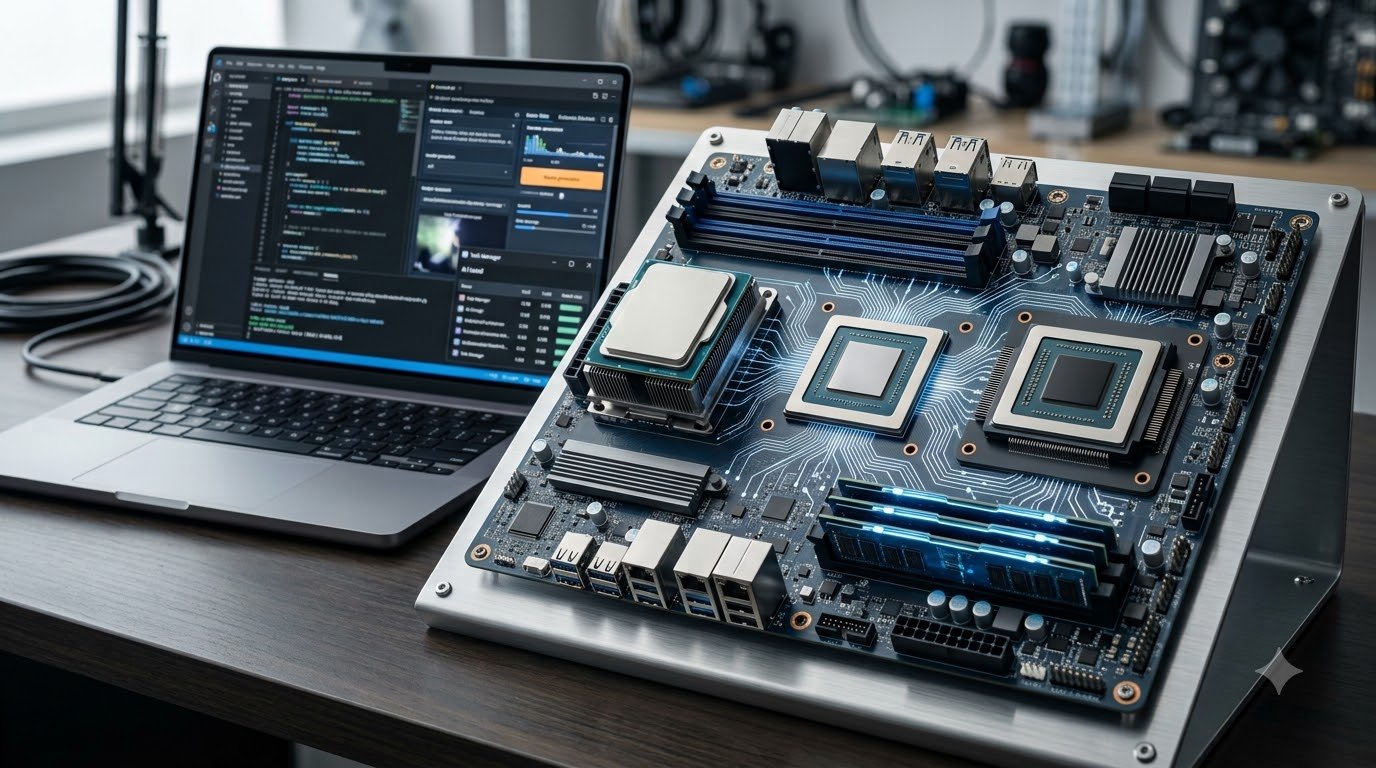
Modern AI PCs ಸಾಮಾನ್ಯವಾಗಿ CPU + GPU + NPU combination ಬಳಸುತ್ತವೆ. ಈ ಮೂರು processing engines ಒಂದೇ ರೀತಿಯ ಕೆಲಸ ಮಾಡುವುದಿಲ್ಲ. CPU general-purpose computingಗೆ, GPU high-throughput parallel workloadsಗೆ ಮತ್ತು NPU sustained AI workloads ಅನ್ನು lower powerನಲ್ಲಿ handle ಮಾಡಲು optimized ಆಗಿರುತ್ತದೆ.
ಅಂದರೆ future computerನಲ್ಲಿ question:
“Which processor is the fastest?”
ಎಂಬುದಕ್ಕಿಂತ:
“Which processor is best for this particular workload?”
ಎಂಬುದು ಹೆಚ್ಚು important ಆಗುತ್ತಿದೆ.
ಈ articleನಲ್ಲಿ AI Chips, NPU, GPU ಮತ್ತು AI PCs ಹೇಗೆ work ಮಾಡುತ್ತವೆ, ಅವುಗಳ differences ಏನು ಮತ್ತು next-generation computingನಲ್ಲಿ ಇವು ಯಾಕೆ important ಎಂಬುದನ್ನು simple Kannada + English hybrid languageನಲ್ಲಿ ನೋಡೋಣ.
Anchor: AI Concepts
AI hardware ಹಿಂದೆ ಇರುವ basic concepts ಮತ್ತು emerging technologies ಬಗ್ಗೆ ಇನ್ನಷ್ಟು ತಿಳಿಯಲು AI Concepts section explore ಮಾಡಿ.
Quick Summary
AI Chips ಎಂದರೆ AI workloads accelerate ಮಾಡಲು specifically designed ಅಥವಾ optimized hardware processors ಮತ್ತು accelerators.
ಈ articleನ ಪ್ರಮುಖ points:
- CPU general-purpose computingಗೆ useful.
- GPU massively parallel workloadsಗೆ strong.
- NPU AI ಮತ್ತು machine-learning calculationsಗೆ specialized.
- Modern AI PCs CPU, GPU ಮತ್ತು NPU ಅನ್ನು combine ಮಾಡುತ್ತವೆ.
- NPU sustained AI workloads ಅನ್ನು lower powerನಲ್ಲಿ handle ಮಾಡಲು designed ಆಗಿದೆ.
- AI PCs ಕೆಲವು AI tasks ಅನ್ನು directly deviceನಲ್ಲಿ run ಮಾಡಬಹುದು.
- Local AI processing latency ಕಡಿಮೆ ಮಾಡಲು ಮತ್ತು ಕೆಲವು workloadsನಲ್ಲಿ privacy improve ಮಾಡಲು ಸಹಾಯ ಮಾಡಬಹುದು.
- AI PCಗೆ NPU ಇದ್ದರೆ ಮಾತ್ರ ಪ್ರತಿಯೊಂದು AI task NPUನಲ್ಲಿ run ಆಗುತ್ತದೆ ಎಂದಲ್ಲ.
- Software ಮತ್ತು operating system workloadಗೆ ಸೂಕ್ತವಾದ processor select ಮಾಡಬಹುದು.
- Future computersನಲ್ಲಿ heterogeneous computing ಇನ್ನಷ್ಟು important ಆಗುವ ಸಾಧ್ಯತೆ ಇದೆ.
What Are AI Chips?
AI Chips ಎಂಬುದು ಒಂದು single chip type ಅಲ್ಲ.
ಇದು AI workloads ಅನ್ನು efficiently process ಮಾಡಲು ಬಳಸುವ ವಿವಿಧ types of processors ಮತ್ತು acceleratorsಗೆ ಬಳಸುವ broad term.
AI Chipsನ main purpose different AI workloadsಗೆ suitable computing acceleration ನೀಡುವುದು.
ಇವುಗಳಲ್ಲಿ:
- CPU
- GPU
- NPU
- TPU
- Dedicated AI accelerators
ಮುಂತಾದ architectures ಇರಬಹುದು.
AI hardwareನ exact design system ಮತ್ತು workload ಮೇಲೆ depend ಆಗುತ್ತದೆ. Intel ಕೂಡ CPU, GPU, NPU ಮತ್ತು TPUಗಳನ್ನು different AI acceleration approaches ಎಂದು ವಿವರಿಸುತ್ತದೆ.
ಅಂದರೆ:
AI Chip = AI workloadಗೆ optimized computing hardware
ಎಂದು simple ಆಗಿ ಅರ್ಥಮಾಡಿಕೊಳ್ಳಬಹುದು.
ಆದರೆ ಒಂದು important point ಇದೆ.
ಪ್ರತಿ AI chip ಒಂದೇ ಕೆಲಸ ಮಾಡುವುದಿಲ್ಲ.
ಅದಕ್ಕಾಗಿಯೇ CPU, GPU ಮತ್ತು NPU ನಡುವಿನ difference ಅರ್ಥಮಾಡಿಕೊಳ್ಳುವುದು important.
CPU vs GPU vs NPU
ಒಂದು simple example ತೆಗೆದುಕೊಳ್ಳೋಣ.
Imagine ನಿಮ್ಮ computer ಒಂದು restaurant.
CPU = Head Chef
CPU general-purpose tasks handle ಮಾಡುತ್ತದೆ.
ಅದು:
- Apps run ಮಾಡುವುದು
- Operating system tasks
- File operations
- General calculations
- Instructions coordinate ಮಾಡುವುದು
ಮುಂತಾದ ಕೆಲಸಗಳಿಗೆ suitable.
GPU = Large Kitchen Team
GPU ಒಂದೇ ರೀತಿಯ ದೊಡ್ಡ number of calculations ಅನ್ನು parallel ಆಗಿ process ಮಾಡಲು optimized.
ಇದು:
- Graphics rendering
- Image processing
- Video processing
- Large AI workloads
- Machine learning computations
ಮುಂತಾದ workloadsನಲ್ಲಿ powerful ಆಗಿರಬಹುದು.
NPU = AI Specialist
NPU specifically neural-network ಮತ್ತು machine-learning operationsಗೆ designed.
ಇದು:
- Speech processing
- Image enhancement
- Background effects
- AI assistants
- Local inference
ಹಾಗೂ sustained AI workloadsನಲ್ಲಿ power-efficient ಆಗಿ ಕೆಲಸ ಮಾಡಲು optimized.
ಈ ಮೂರು processors AI Chips ecosystemನಲ್ಲಿ different workloads ಅನ್ನು handle ಮಾಡುವ complementary technologies ಆಗಿವೆ.
How Does an NPU Work?
NPU ಎಂದರೆ Neural Processing Unit.
ಇದು AI modelsನಲ್ಲಿ frequently ಬಳಸುವ neural-network operations ಅನ್ನು efficiently execute ಮಾಡಲು specialized accelerator.
ಒಂದು simple workflow:
AI Model
↓
Neural Network Operations
↓
NPU
↓
Local AI Inference
↓
Result
ಉದಾಹರಣೆಗೆ laptopನಲ್ಲಿ:
- Real-time translation
- Noise cancellation
- Background blur
- Image enhancement
- AI-powered camera effects
ಮುಂತಾದ tasks NPUಗೆ offload ಮಾಡಬಹುದು.
Microsoft ಪ್ರಕಾರ, Copilot+ PCsನಲ್ಲಿ NPU AI-intensive workloadsಗೆ ಬಳಸಲಾಗುತ್ತದೆ ಮತ್ತು 40+ TOPS class NPU capability ಹೊಂದಿರುವ systems ಕೆಲವು advanced Windows AI featuresಗೆ required ಆಗಿವೆ.
Modern AI Chipsನಲ್ಲಿ NPU ವಿಶೇಷವಾಗಿ neural-network inference ಅನ್ನು power-efficient ಆಗಿ execute ಮಾಡಲು ಪ್ರಮುಖ accelerator ಆಗಿದೆ.
Why Is NPU Important?
CPU ಮತ್ತು GPU AI workloads handle ಮಾಡಬಲ್ಲವು.
ಹಾಗಿದ್ದರೆ NPU ಯಾಕೆ ಬೇಕು?
ಮುಖ್ಯ ಕಾರಣ:
Power Efficiency
ಒಂದು laptop batteryಯಿಂದ run ಆಗುತ್ತಿದೆ ಎಂದು imagine ಮಾಡಿ.
AI task continuously run ಆಗಬೇಕಾದರೆ CPU ಅಥವಾ GPU ಅನ್ನು heavily use ಮಾಡುವುದು power consumption ಹೆಚ್ಚಿಸಬಹುದು.
NPU specifically AI workloadsಗೆ optimized ಆಗಿರುವುದರಿಂದ ಕೆಲವು sustained AI tasks ಅನ್ನು ಹೆಚ್ಚು efficiently handle ಮಾಡಬಹುದು.
ಅಂದರೆ:
CPU → General Performance
GPU → High Throughput
NPU → Efficient AI Processing
ಈ division of work modern AI PCsನ key idea.
ಈ heterogeneous architecture AI Chips ಅನ್ನು traditional single-processor computingಗಿಂತ ಹೆಚ್ಚು specialised ಆಗಿಸುತ್ತದೆ.
What Is an AI PC?
AI PC ಎಂದರೆ AI workloadsಗೆ specialized hardware support ಹೊಂದಿರುವ personal computer.
Intelನ current explanation ಪ್ರಕಾರ AI PCನಲ್ಲಿ CPU, GPU ಮತ್ತು dedicated NPU ಒಟ್ಟಿಗೆ AI applicationsಗೆ processing support ನೀಡುತ್ತವೆ.
AMD — AI PCs Powered by Ryzen AI
AMD ಕೂಡ AI PC ಅನ್ನು CPU + GPU + NPU combination ಮೂಲಕ on-device AI workloads accelerate ಮಾಡುವ system ಎಂದು ವಿವರಿಸುತ್ತದೆ.
ಅಂದರೆ AI PC:
Normal PC + Dedicated AI Acceleration
ಎಂದು simple ಆಗಿ ಅರ್ಥಮಾಡಿಕೊಳ್ಳಬಹುದು.
ಈ architectureನಲ್ಲಿ AI Chips local AI workloadsಗೆ dedicated acceleration ನೀಡುವ ಪ್ರಮುಖ hardware foundation ಆಗುತ್ತವೆ.
Why Are AI PCs Becoming Important?
Generative AI ಮತ್ತು on-device AI applications ಹೆಚ್ಚಾಗುತ್ತಿರುವಂತೆ computersಗೆ ಹೆಚ್ಚು specialized computing ಬೇಕಾಗುತ್ತಿದೆ.
ಒಂದು AI application cloudಗೆ request ಕಳುಹಿಸಿ result ಪಡೆಯಬಹುದು.
ಆದರೆ ಕೆಲವು tasks deviceನಲ್ಲೇ run ಮಾಡಿದರೆ:
- Latency ಕಡಿಮೆಯಾಗಬಹುದು
- Internet dependency ಕಡಿಮೆಯಾಗಬಹುದು
- Battery efficiency improve ಆಗಬಹುದು
- Sensitive data deviceನಲ್ಲೇ ಉಳಿಯಬಹುದು
ಎಂಬ advantages ಸಿಗಬಹುದು.
ಇದರಿಂದ AI Chips ಮತ್ತು AI PCs future computingನಲ್ಲಿ increasingly important ಆಗುತ್ತಿವೆ.
Local AI models ಮತ್ತು ಅವುಗಳನ್ನು computerನಲ್ಲಿ run ಮಾಡುವ possibilities ಬಗ್ಗೆ ತಿಳಿಯಲು Open Source AI Models guide ಓದಿ.
Anchor: Open Source AI Models
AI PCನಲ್ಲಿ CPU, GPU ಮತ್ತು NPU ಹೇಗೆ Work Together?
ಇದು ಬಹಳ important concept.
AI PCನಲ್ಲಿ processors competition ಮಾಡುತ್ತಿಲ್ಲ.
ಅವು workload share ಮಾಡುತ್ತವೆ.
ಉದಾಹರಣೆಗೆ:
CPU
Fast response ಮತ್ತು general-purpose tasks.
GPU
High-throughput parallel processing.
NPU
Sustained, power-efficient AI workloads.
Intel ಕೂಡ ಈ three-engine model ಅನ್ನು ಇದೇ ರೀತಿಯಲ್ಲಿ ವಿವರಿಸುತ್ತದೆ.
Microsoft Windows ecosystemನಲ್ಲಿ available hardware acceleratorsನ capabilities ನೋಡಿ appropriate execution path select ಮಾಡುವ software stack ಬಗ್ಗೆ ವಿವರಿಸುತ್ತದೆ.
Intel — AI PC Overview
ಅಂದರೆ future PCನಲ್ಲಿ:
One processor does everything
ಎಂಬ modelನ ಬದಲು:
The right processor handles the right workload
ಎಂಬ approach ಹೆಚ್ಚು important ಆಗಬಹುದು.
AI Chipsನ real advantage ಒಂದು processorನಲ್ಲಿ ಮಾತ್ರ ಇಲ್ಲ; CPU, GPU ಮತ್ತು NPU workloadಗೆ ಅನುಗುಣವಾಗಿ cooperate ಮಾಡುವುದರಲ್ಲಿ ಇದೆ.
AI agents local hardware ಮತ್ತು AI models ಜೊತೆ ಹೇಗೆ work ಮಾಡಬಹುದು ಎಂಬುದನ್ನು ತಿಳಿಯಲು How AI Agents Work guide ಓದಿ.
Anchor: How AI Agents Work
NPU vs GPU: What Is the Real Difference?
Modern AI PCನಲ್ಲಿ CPU, GPU ಮತ್ತು NPU ಒಂದೇ ಕೆಲಸ ಮಾಡುವುದಿಲ್ಲ.
GPU high-throughput parallel computingನಲ್ಲಿ extremely powerful. ಆದರೆ ಪ್ರತಿಯೊಂದು AI workloadಗೂ maximum GPU power ಅಗತ್ಯವಿರುವುದಿಲ್ಲ.
NPU specifically neural-network workloadsಗೆ optimized ಆಗಿರುವುದರಿಂದ ಕೆಲವು AI tasks ಅನ್ನು lower power consumptionನಲ್ಲಿ continuously run ಮಾಡಲು useful ಆಗಬಹುದು.
Simple comparison:
| Processor | Main Strength | Typical AI Role |
|---|---|---|
| CPU | General computing | Coordination, everyday tasks |
| GPU | Massive parallel processing | Large AI workloads, graphics |
| NPU | Efficient neural processing | Local, sustained AI workloads |
ಅಂದರೆ NPUಯ purpose GPU ಅನ್ನು replace ಮಾಡುವುದು ಅಲ್ಲ.
NPU complements the CPU and GPU.
What Is TOPS in an AI PC?
AI hardware ಬಗ್ಗೆ ಮಾತನಾಡುವಾಗ ನೀವು TOPS ಎಂಬ specification frequently ನೋಡುತ್ತೀರಿ.
TOPS ಎಂದರೆ:
Trillion Operations Per Second
ಅಂದರೆ ಒಂದು processor ಅಥವಾ accelerator ಒಂದು secondನಲ್ಲಿ theoretically ಎಷ್ಟು trillion operations perform ಮಾಡಬಹುದು ಎಂಬುದನ್ನು ಸೂಚಿಸುವ performance metric.
ಉದಾಹರಣೆಗೆ:
10 TOPS
ಅಂದರೆ roughly 10 trillion operations per second capability.
40 TOPS
ಅಂದರೆ roughly 40 trillion operations per second.
Microsoft Copilot+ PC requirementsನಲ್ಲಿ 40+ TOPS NPU capability ಪ್ರಮುಖ requirement ಆಗಿದೆ.
ಆದರೆ ಇಲ್ಲಿ ಒಂದು important point:
Higher TOPS ≠ Automatically Better AI PC
Real-world AI performance ಮೇಲೆ:
- Model architecture
- Precision
- Memory bandwidth
- Software optimisation
- Thermal design
- CPU/GPU performance
- NPU architecture
ಮುಂತಾದ factors ಕೂಡ influence ಮಾಡುತ್ತವೆ.
Why Local AI Matters
AI applications traditionally cloud servers ಮೇಲೆ heavily depend ಮಾಡುತ್ತವೆ.
Workflow:
Your PC
↓
Internet
↓
Cloud AI Server
↓
AI Processing
↓
Internet
↓
Your PC
ಇದು powerful cloud infrastructure ಬಳಸಲು ಸಹಾಯ ಮಾಡುತ್ತದೆ.
ಆದರೆ local AIನಲ್ಲಿ:
Your PC
↓
NPU / GPU
↓
AI Processing
↓
Result
ಕೆಲವು workloads deviceನಲ್ಲೇ process ಆಗಬಹುದು.
ಇದರಿಂದ ಕೆಲವು situationsನಲ್ಲಿ:
- Lower latency
- Reduced cloud dependency
- Better offline functionality
- Potential privacy benefits
- Reduced repeated cloud communication
ಸಿಗಬಹುದು.
ಆದರೆ every AI task local ಆಗಿ run ಆಗುತ್ತದೆ ಎಂದು ಅರ್ಥವಲ್ಲ.
Large language models ಅಥವಾ extremely compute-intensive models ಇನ್ನೂ cloud infrastructure ಅಥವಾ powerful discrete GPUs ಮೇಲೆ depend ಮಾಡಬಹುದು.
AI PCನಲ್ಲಿ ಯಾವ AI Tasks Local ಆಗಿ Run ಆಗಬಹುದು?
AI PCನಲ್ಲಿ local processing particularly lightweight ಅಥವಾ continuously running AI featuresಗೆ useful.
Noise Cancellation
Video callsನಲ್ಲಿ background noise reduce ಮಾಡಲು NPU support ಬಳಸಬಹುದು.
Background Blur
Video conferencing applicationsನಲ್ಲಿ person ಮತ್ತು background distinguish ಮಾಡಲು AI processing ಬಳಸಬಹುದು.
Eye Contact / Camera Effects
Real-time visual effectsಗೆ local AI acceleration useful ಆಗಬಹುದು.
Live Captions
Speech-to-text processingನ ಕೆಲವು portions deviceನಲ್ಲಿ execute ಆಗಬಹುದು.
Translation
Supported applications ಮತ್ತು models ಇದ್ದರೆ ಕೆಲವು translation workloads local hardware ಬಳಸಬಹುದು.
Image Enhancement
Camera ಅಥವಾ image applicationsನಲ್ಲಿ AI-based enhancement tasks accelerate ಮಾಡಬಹುದು.
ಈ capabilities hardware + operating system + application support ಮೇಲೆ depend ಆಗುತ್ತವೆ.
Why NPU Is Useful for Always-On AI
ಒಂದು AI feature continuously active ಇದೆ ಎಂದು imagine ಮಾಡಿ.
ಉದಾಹರಣೆಗೆ:
“Always monitor microphone input and remove background noise.”
ಇದು occasional task ಅಲ್ಲ.
ಇದು continuous workload.
ಇಂತಹ situationನಲ್ಲಿ NPU useful ಆಗಬಹುದು ಏಕೆಂದರೆ ಅದು AI inference workloadsಗೆ specifically optimised ಆಗಿರುತ್ತದೆ ಮತ್ತು power efficiencyಗೆ focus ಮಾಡುತ್ತದೆ.
ಅಂದರೆ:
GPU
→ High performance
→ Potentially higher power consumption
NPU
→ AI-specific processing
→ Better efficiency for suitable sustained workloads
ಇದು laptop battery lifeಗೆ particularly relevant.
Does Every AI Task Need an NPU?
No.
ಇದು AI PC ಬಗ್ಗೆ ಇರುವ biggest misconceptionsಗಳಲ್ಲಿ ಒಂದು.
ಒಂದು AI workload:
- CPUನಲ್ಲಿ efficiently run ಆಗಬಹುದು.
- GPUಗೆ better suited ಆಗಿರಬಹುದು.
- NPUನಲ್ಲಿ more efficiently run ಆಗಬಹುದು.
- Cloud serverನಲ್ಲಿ run ಮಾಡಬೇಕಾಗಬಹುದು.
Software stack workloadನ requirements ಆಧರಿಸಿ suitable hardware ಬಳಸಬಹುದು.
Microsoft Windowsನಲ್ಲಿ NPU devices ಮತ್ತು AI acceleration APIsಗೆ developer support ನೀಡುತ್ತಿದೆ, allowing applications to take advantage of available AI hardware.
ಹೀಗಾಗಿ:
AI PC = NPU-only computer ಅಲ್ಲ.
AI PC vs Traditional PC
ಒಂದು simple comparison ನೋಡೋಣ.
| Feature | Traditional PC | AI PC |
|---|---|---|
| CPU | Yes | Yes |
| GPU | Usually integrated/discrete | Integrated/discrete |
| Dedicated NPU | Usually No | Yes |
| Local AI acceleration | Limited | Stronger |
| AI-specific efficiency | Lower | Higher for supported workloads |
| Cloud dependency | Depends on application | Can be reduced for some workloads |
| On-device AI features | Limited | More extensive |
ಇಲ್ಲಿ AI PC automatically faster at everything ಎಂದು ಅರ್ಥಮಾಡಿಕೊಳ್ಳಬಾರದು.
AI-specific workloadsನಲ್ಲಿ specialized acceleration ಮುಖ್ಯ advantage.
What About RAM?
AI PC ಖರೀದಿಸುವಾಗ NPU ಮಾತ್ರ ನೋಡಬಾರದು.
RAM ಕೂಡ important.
AI applications large models, local inference ಮತ್ತು multitasking ಬಳಸಿದಾಗ memory requirements ಹೆಚ್ಚಾಗಬಹುದು.
ಒಂದು systemನಲ್ಲಿ:
Strong NPU
Insufficient RAM
ಇದ್ದರೆ overall experience bottleneck ಆಗಬಹುದು.
ಅದಕ್ಕಾಗಿ AI PC evaluate ಮಾಡುವಾಗ:
- RAM capacity
- Memory bandwidth
- CPU
- GPU
- NPU
- Storage
- Thermal design
ಎಲ್ಲವನ್ನೂ together ನೋಡಬೇಕು.
Integrated GPU vs Dedicated GPU
AI workloadsಗೆ GPU ಕೂಡ important.
Integrated GPU
CPU ಜೊತೆ system memory share ಮಾಡಬಹುದು.
Advantages:
- Lower power
- Compact design
- Good everyday performance
Dedicated GPU
Separate high-performance graphics processor ಮತ್ತು dedicated memory ಹೊಂದಿರುತ್ತದೆ.
Advantages:
- Higher compute performance
- Large AI models
- 3D workloads
- Advanced video processing
- Local generative AI
ಮತ್ತು ಇಲ್ಲಿ NPU ಇದ್ದರೂ dedicated GPUನ importance disappear ಆಗುವುದಿಲ್ಲ.
ಒಂದು high-end AI workstationನಲ್ಲಿ:
CPU + GPU + NPU
ಮೂರು processors ಕೂಡ different workloads handle ಮಾಡಬಹುದು.
Local AI vs Cloud AI
ಇದು future computingನಲ್ಲಿ ದೊಡ್ಡ discussion.
Local AI
Advantages
- Lower latency for suitable workloads
- Potential offline functionality
- Data can remain on-device
- Less dependence on internet
Limitations
- Device compute limits
- Memory limitations
- Smaller models may be necessary
- Hardware cost
Cloud AI
Advantages
- Massive computing resources
- Larger models
- Easier model updates
- Centralised infrastructure
Limitations
- Internet dependency
- Latency
- Data transmission considerations
- Potential recurring service costs
ಅದಕ್ಕಾಗಿ futureನಲ್ಲಿ hybrid AI approach ಹೆಚ್ಚು practical ಆಗಬಹುದು.
What Is Hybrid AI?
Hybrid AI ಎಂದರೆ:
Local AI + Cloud AI
ಎರಡನ್ನೂ combine ಮಾಡುವುದು.
ಉದಾಹರಣೆಗೆ:
Simple Task
→ NPU handles locally.
Medium Task
→ GPU handles locally.
Large Complex Task
→ Cloud AI handles it.
ಇದರಿಂದ system workloadಗೆ ಅನುಗುಣವಾಗಿ processing location choose ಮಾಡಬಹುದು.
Future AI PCsನಲ್ಲಿ ಇದೇ type of intelligent workload distribution ಹೆಚ್ಚು common ಆಗುವ ಸಾಧ್ಯತೆ ಇದೆ.
AI Chips and Privacy
Local AI processing privacyಗೆ potential benefit ನೀಡಬಹುದು.
ಉದಾಹರಣೆಗೆ personal video ಅಥವಾ audio data ಅನ್ನು cloudಗೆ upload ಮಾಡುವ ಬದಲು supported application ಅದನ್ನು deviceನಲ್ಲಿ process ಮಾಡಿದರೆ sensitive data external serverಗೆ ಕಳುಹಿಸುವ ಅಗತ್ಯ ಕಡಿಮೆಯಾಗಬಹುದು.
ಆದರೆ:
Local processing ≠ Automatically private
Application data ಹೇಗೆ store ಮಾಡುತ್ತದೆ, telemetry ಏನು collect ಮಾಡುತ್ತದೆ ಮತ್ತು operating system permissions ಹೇಗಿವೆ ಎಂಬುದೂ equally important.
AI Chips and the Future of Personal Computing
Computing architecture ನಿಧಾನವಾಗಿ:
CPU-Centric
ನಿಂದ
Heterogeneous Computing
ಕಡೆಗೆ move ಆಗುತ್ತಿದೆ.
ಅಂದರೆ ಒಂದು computerನಲ್ಲಿ different processors different jobs handle ಮಾಡುತ್ತವೆ.
CPU
→ General tasks
GPU
→ Parallel workloads
NPU
→ AI workloads
ಈ architecture futureನಲ್ಲಿ smartphones, laptops, desktops ಮತ್ತು edge devicesನಲ್ಲಿ ಇನ್ನಷ್ಟು common ಆಗಬಹುದು.
Who Should Buy an AI PC?
Part 1 ಮತ್ತು Part 2ನಲ್ಲಿ ನೋಡಿದಂತೆ, AI Chips ಎಂದರೆ ಕೇವಲ ಒಂದು new processor ಅಲ್ಲ. CPU, GPU ಮತ್ತು NPU together work ಮಾಡುವ heterogeneous computing architecture ಈಗ next-generation PCsನಲ್ಲಿ ಪ್ರಮುಖವಾಗುತ್ತಿದೆ.
ಆದರೆ practical question:
ನಿಮಗೆ ನಿಜವಾಗಿಯೂ AI PC ಬೇಕೇ?
Answer ನಿಮ್ಮ usage ಮೇಲೆ depend ಆಗುತ್ತದೆ.
1. Students
Studentsಗೆ AI PC useful ಆಗಬಹುದು, especially ಅವರು:
- AI-powered study tools
- Live transcription
- Translation
- Video meetings
- Note-taking applications
- Image editing
- Local AI applications
ಬಳಸುತ್ತಿದ್ದರೆ.
ಆದರೆ basic browsing, documents, presentations ಮತ್ತು online classes ಮಾತ್ರ ಮಾಡುತ್ತಿದ್ದರೆ dedicated NPU ಇರುವುದೇ compulsory ಅಲ್ಲ.
Simple rule:
AI features frequently use ಮಾಡುತ್ತಿದ್ದರೆ AI PC useful; basic productivity ಮಾತ್ರ ಇದ್ದರೆ normal modern laptop ಸಾಕಾಗಬಹುದು.
2. Content Creators
YouTubers, video editors ಮತ್ತು content creatorsಗೆ AI PC ಹೆಚ್ಚು interesting.
AI-assisted:
- Video editing
- Background removal
- Noise reduction
- Image enhancement
- Transcription
- Caption generation
- Video effects
ಮುಂತಾದ workloads increasingly common ಆಗುತ್ತಿವೆ.
ಆದರೆ creatorsಗೆ NPU ಮಾತ್ರ ನೋಡಬಾರದು.
GPU performance ಮತ್ತು VRAM ಕೂಡ ಬಹಳ important.
High-resolution video editing ಅಥವಾ local generative AI ಬಳಸುವವರಿಗೆ powerful discrete GPU ಹೊಂದಿರುವ system, NPU ಇರುವ systemಗಿಂತ ಹೆಚ್ಚು meaningful upgrade ಆಗಬಹುದು.
3. Business Users
Businessesನಲ್ಲಿ AI PC useful ಆಗುವ ಒಂದು major reason on-device AI.
ಉದಾಹರಣೆಗೆ supported applicationsನಲ್ಲಿ:
- Meeting transcription
- Background noise suppression
- Document assistance
- Local image processing
- Productivity automation
ಮುಂತಾದ features deviceನಲ್ಲಿ run ಆಗಬಹುದು.
Sensitive business information handle ಮಾಡುವ systemsನಲ್ಲಿ local processing potential privacy advantage ನೀಡಬಹುದು.
ಆದರೆ business deploymentನಲ್ಲಿ:
Hardware + Software + Security + IT Management
ಎಲ್ಲವನ್ನೂ together evaluate ಮಾಡಬೇಕು.
4. Developers and AI Enthusiasts
Developersಗೆ AI PC particularly interesting.
NPU-based applications develop ಮಾಡಲು Windows ಮತ್ತು other platformsನಲ್ಲಿ APIs ಮತ್ತು developer frameworks available ಆಗುತ್ತಿವೆ. Microsoft ತನ್ನ Windows AI documentationನಲ್ಲಿ NPU accelerationಗೆ developer support ವಿವರಿಸುತ್ತದೆ.
ಆದರೆ local AI development ಮಾಡುವ developersಗೆ:
RAM + GPU + VRAM + Storage
ಬಹಳ important.
ಒಂದು powerful NPU ಇದ್ದರೂ large local model run ಮಾಡಲು insufficient RAM ಇದ್ದರೆ overall system experience limited ಆಗಬಹುದು.
Do You Really Need a Powerful NPU?
Not necessarily.
NPU performance ಅನ್ನು TOPS ಮೂಲಕ market ಮಾಡಲಾಗುತ್ತದೆ.
ಆದರೆ:
More TOPS does not automatically mean better overall computer.
ನೀವು AI PC ಖರೀದಿಸುವಾಗ ಈ orderನಲ್ಲಿ think ಮಾಡಬಹುದು:
1. CPU
General performance ಹೇಗಿದೆ?
2. RAM
16 GB? 32 GB? ಅಥವಾ ನಿಮ್ಮ workloadಗೆ ಇನ್ನಷ್ಟು ಬೇಕೇ?
3. GPU
Creative work ಮತ್ತು local AIಗೆ sufficient ಇದೆಯೇ?
4. NPU
ನೀವು ಬಳಸುವ AI featuresಗೆ required performance ಇದೆಯೇ?
5. Storage
Large AI models ಮತ್ತು creative filesಗೆ sufficient space ಇದೆಯೇ?
6. Software Support
ನಿಮ್ಮ applications NPU acceleration support ಮಾಡುತ್ತವೆಯೇ?
AI PC Buying Checklist
New laptop ಖರೀದಿಸುವಾಗ ಈ checklist save ಮಾಡಿಕೊಳ್ಳಬಹುದು:
Hardware
- Modern CPU
- Dedicated NPU
- Sufficient RAM
- Fast SSD
- Suitable GPU
- Good thermal design
- Good battery capacity
AI Features
- NPU TOPS rating
- Local AI support
- AI application compatibility
- On-device inference support
- Operating system support
Practical Considerations
- Your AI workloads
- Cloud vs local requirements
- Privacy requirements
- Battery expectations
- Upgradeability
- Price-to-performance ratio
What Are the Limitations of AI PCs?
AI PCs promising ಆಗಿದ್ದರೂ limitations ಇವೆ.
1. Not Every App Uses the NPU
NPU ಇದ್ದರೆ ಪ್ರತಿಯೊಂದು application automatically faster ಆಗುವುದಿಲ್ಲ.
Application ಮತ್ತು operating systemಗೆ proper support ಇರಬೇಕು.
2. NPU Doesn’t Replace a Powerful GPU
Large generative AI models, advanced video workloads ಅಥವಾ high-performance local AI tasksಗೆ GPU ಇನ್ನೂ important ಆಗಬಹುದು.
3. TOPS Can Be Misleading
Two processors same TOPS rating ಹೊಂದಿದ್ದರೂ real-world performance same ಆಗಿರಬೇಕೆಂದಿಲ್ಲ.
Architecture, precision, memory bandwidth ಮತ್ತು software optimisation difference ಮಾಡಬಹುದು.
4. AI PC Can Cost More
Newer hardware ಮತ್ತು dedicated accelerators ಇರುವ systems traditional laptopsಗಿಂತ expensive ಆಗಬಹುದು.
ಆದ್ದರಿಂದ AI features ನೀವು actually use ಮಾಡುತ್ತೀರಾ ಎಂಬುದನ್ನು consider ಮಾಡಬೇಕು.
What Is the Future of AI Chips?
Next-generation computingನಲ್ಲಿ AI Chips ಇನ್ನಷ್ಟು specialised ಆಗುವ ಸಾಧ್ಯತೆ ಇದೆ.
Future systemsನಲ್ಲಿ:
CPU
→ General Computing
GPU
→ Graphics + High-Performance AI
NPU
→ Efficient On-Device AI
Specialised Accelerators
→ Specific AI Workloads
ಎಂಬ architecture ಹೆಚ್ಚು common ಆಗಬಹುದು.
ಇದರಿಂದ computers ಒಂದೇ processor ಮೇಲೆ depend ಆಗದೆ workloadನ nature ಆಧರಿಸಿ different processing engines ಬಳಸಬಹುದು.
From AI PCs to AI Everywhere
AI acceleration laptopsಗೆ ಮಾತ್ರ ಸೀಮಿತವಾಗುವುದಿಲ್ಲ.
ಅದೇ concept:
- Smartphones
- Tablets
- Cars
- Cameras
- Smart home devices
- Industrial machines
- Edge computing systems
ಮುಂತಾದ devicesಗೂ expand ಆಗುತ್ತಿದೆ.
ಇದರಿಂದ edge AI ಕೂಡ increasingly important ಆಗುತ್ತಿದೆ.
Cloudಗೆ ಪ್ರತಿಯೊಂದು data point ಕಳುಹಿಸುವ ಬದಲು ಕೆಲವು intelligence directly deviceನಲ್ಲಿ execute ಆಗಬಹುದು.
Why This Matters for India
Indiaನಲ್ಲಿ AI adoption rapidly expand ಆಗುತ್ತಿರುವಾಗ AI-capable hardwareಗೆ demand ಕೂಡ increase ಆಗಬಹುದು.
Students, startups, creators, developers ಮತ್ತು businesses AI applications ಅನ್ನು locally experiment ಮಾಡಲು ಆರಂಭಿಸಿದಂತೆ:
AI PC + Local AI Models + Cloud AI
ಮೂರು technologies together work ಮಾಡುವ hybrid ecosystem develop ಆಗಬಹುದು.
ಇದು particularly useful ಆಗುವುದು reliable high-speed internet ಪ್ರತಿಯೊಂದು locationನಲ್ಲಿ equally available ಇಲ್ಲದ ಸಂದರ್ಭಗಳಲ್ಲಿ.
AI Kannada Tech Tip
AI PC ಖರೀದಿಸುವಾಗ “NPU ಇದೆ” ಎಂಬ ಒಂದೇ feature ನೋಡಿ laptop select ಮಾಡಬೇಡಿ.
Instead, ಮೊದಲು ನಿಮ್ಮ workload ಬರೆಯಿರಿ:
What AI tasks will I actually run?
ನೀವು mainly:
- ChatGPT
- Gemini
- Perplexity
- Cloud-based AI tools
ಬಳಸುತ್ತಿದ್ದರೆ powerful NPUನ benefit limited ಆಗಿರಬಹುದು.
ಆದರೆ:
- Local AI models
- AI video processing
- Real-time effects
- Offline AI
- Continuous AI workloads
ಬಳಸುತ್ತಿದ್ದರೆ dedicated AI acceleration ಹೆಚ್ಚು useful ಆಗಬಹುದು.
Did You Know?
Modern AI PCನಲ್ಲಿ NPU ಇದ್ದರೂ CPU ಮತ್ತು GPU obsolete ಆಗುವುದಿಲ್ಲ.
ಇದು smartphoneನಲ್ಲಿ CPU, GPU ಮತ್ತು other accelerators different workloads handle ಮಾಡುವ conceptನಂತೆಯೇ.
AI PC architectureನ main idea:
Specialisation, not replacement.
ಅಂದರೆ NPU ಬಂದಿರುವುದರಿಂದ GPU ಹೋಗುವುದಿಲ್ಲ.
Instead, workload ಅನ್ನು right processorಗೆ route ಮಾಡುವುದು ಮುಖ್ಯ.
Key Takeaways
- AI Chips modern computingನಲ್ಲಿ specialised processingಗೆ foundation ಆಗುತ್ತಿವೆ.
- CPU general-purpose tasksಗೆ strong.
- GPU parallel processing ಮತ್ತು high-performance AIಗೆ powerful.
- NPU AI workloadsನಲ್ಲಿ power-efficient acceleration ನೀಡಲು designed.
- AI PCನಲ್ಲಿ CPU + GPU + NPU together work ಮಾಡಬಹುದು.
- TOPS useful metric ಆದರೆ overall system performance measure ಅಲ್ಲ.
- Local AI latency, offline capability ಮತ್ತು ಕೆಲವು privacy benefits ನೀಡಬಹುದು.
- Cloud AI ಇನ್ನೂ large and compute-intensive workloadsಗೆ important.
- Hybrid AI — local + cloud — futureನಲ್ಲಿ practical model ಆಗಬಹುದು.
- AI PC ಖರೀದಿಸುವಾಗ NPU ಜೊತೆಗೆ CPU, GPU, RAM, storage ಮತ್ತು software compatibility ನೋಡಬೇಕು.
- NPU ಪ್ರತಿಯೊಂದು AI application ಅನ್ನು automatically faster ಮಾಡುವುದಿಲ್ಲ.
- AI hardware future laptops ಮಾತ್ರವಲ್ಲದೆ smartphones, cars ಮತ್ತು edge devicesಗೂ expand ಆಗಬಹುದು.
Frequently Asked Questions
1. What is an AI chip?
AI Chip ಎಂದರೆ AI workloads ಅನ್ನು accelerate ಅಥವಾ efficiently process ಮಾಡಲು designed/optimised hardware processor ಅಥವಾ accelerator.
2. Is an NPU better than a GPU?
Not generally. ಎರಡೂ different workloadsಗೆ optimized.
NPU efficient AI inferenceಗೆ useful.
GPU large parallel workloads ಮತ್ತು high-performance AIಗೆ powerful.
3. What does NPU stand for?
NPU stands for Neural Processing Unit.
ಇದು neural-network ಮತ್ತು AI workloadsಗೆ specialised processing unit.
4. What does TOPS mean?
TOPS means Trillion Operations Per Second.
ಇದು processor ಅಥವಾ acceleratorನ theoretical operation throughput ಅನ್ನು indicate ಮಾಡುವ metric.
5. Does every AI PC have a GPU?
Modern AI PCs generally have a GPU, either integrated or discrete, ಜೊತೆಗೆ CPU ಮತ್ತು NPU architecture ಇರಬಹುದು.
6. Can an AI PC run AI models offline?
Some can.
Model size, RAM, GPU/NPU capability ಮತ್ತು software support ಮೇಲೆ depend ಆಗುತ್ತದೆ.
Small ಅಥವಾ optimised models local ಆಗಿ run ಮಾಡಬಹುದು; large modelsಗೆ cloud ಅಥವಾ powerful hardware ಬೇಕಾಗಬಹುದು.
7. Is an AI PC useful for students?
Yes, especially AI-powered productivity, transcription, translation ಮತ್ತು other local AI features ಬಳಸುವ studentsಗೆ.
Basic browsing ಮತ್ತು documents ಮಾತ್ರ ಮಾಡಿದರೆ dedicated NPU essential ಅಲ್ಲ.
8. Is an NPU important for gaming?
Gamingಗೆ traditionally GPU ಹೆಚ್ಚು important.
NPU gamingನಲ್ಲಿ direct graphics rendering replacement ಅಲ್ಲ. ಆದರೆ ಕೆಲವು AI-based features ಅಥವಾ supporting workloadsನಲ್ಲಿ ಉಪಯೋಗವಾಗಬಹುದು.
9. Should I buy an AI PC in 2026?
ನಿಮ್ಮ laptop upgrade already planned ಇದ್ದರೆ AI PC consider ಮಾಡುವುದು sensible.
ಆದರೆ NPU label ಮಾತ್ರ ನೋಡಿ purchase ಮಾಡಬೇಡಿ.
Actual workload + CPU + GPU + RAM + NPU + price ಎಲ್ಲವನ್ನೂ compare ಮಾಡಿ.
10. Will NPU replace GPU?
No.
NPU ಮತ್ತು GPU complementary processors.
Future systemsನಲ್ಲಿ ಎರಡೂ different workloads handle ಮಾಡುವ ಸಾಧ್ಯತೆ ಹೆಚ್ಚು.
Final Verdict
AI PCs are not simply computers with one extra AI chip.
ಅವು computing architectureನಲ್ಲಿ ಒಂದು important shift ಅನ್ನು represent ಮಾಡುತ್ತವೆ.
Traditional systemನಲ್ಲಿ CPU primary processor ಆಗಿದ್ದರೆ, modern AI PC:
CPU + GPU + NPU
ಮೂರು engines ಅನ್ನು different workloadsಗೆ use ಮಾಡಬಹುದು.
NPUಗೆ biggest advantage efficient on-device AI processing.
GPUಗೆ biggest advantage high-performance parallel computing.
CPUಗೆ biggest advantage general-purpose processing and system coordination.
ಹೀಗಾಗಿ NPU futureನಲ್ಲಿ important ಆಗಬಹುದು, ಆದರೆ ಅದು GPU ಅಥವಾ CPUನ replacement ಅಲ್ಲ.
ನೀವು AI applications, local models, content creation ಅಥವಾ on-device AI features frequently ಬಳಸುತ್ತಿದ್ದರೆ AI PC meaningful upgrade ಆಗಬಹುದು.
ಆದರೆ basic productivity usersಗೆ AI PC labelಗಾಗಿ extra money spend ಮಾಡುವುದು ಯಾವಾಗಲೂ necessary ಅಲ್ಲ.
Conclusion
Computing worldನಲ್ಲಿ ದೊಡ್ಡ change quietly ನಡೆಯುತ್ತಿದೆ.
AI ಈಗ cloud serversನಲ್ಲಿ ಮಾತ್ರ ಇರುವ technology ಅಲ್ಲ.
ಅದು ನಿಧಾನವಾಗಿ PC itself ಒಳಗೆ ಬರುತ್ತಿದೆ.
NPU, GPU ಮತ್ತು CPU together work ಮಾಡುವ systems ಮೂಲಕ laptops ಮತ್ತು desktops ಕೆಲವು AI workloads ಅನ್ನು locally process ಮಾಡಬಲ್ಲವು.
ಇದರಿಂದ faster response, lower latency, better efficiency ಮತ್ತು ಕೆಲವು use casesನಲ್ಲಿ improved privacy ಸಾಧ್ಯವಾಗಬಹುದು.
ಆದರೆ AI PC future ಎಂದರೆ:
NPU replaces GPU
ಅಲ್ಲ.
ಸರಿಯಾದ idea:
The right AI workload goes to the right processor.
ಇದು next-generation computingನ core principle ಆಗಬಹುದು.
Futureನಲ್ಲಿ AI hardware ಇನ್ನಷ್ಟು specialised ಆಗಬಹುದು. Smartphonesನಿಂದ laptops, cars ಮತ್ತು edge devicesವರೆಗೆ AI acceleration standard computing architectureನ ಭಾಗವಾಗುವ ಸಾಧ್ಯತೆ ಇದೆ.
ಆದ್ದರಿಂದ AI Chips ಬಗ್ಗೆ ತಿಳಿದುಕೊಳ್ಳುವುದು hardware enthusiastsಗೆ ಮಾತ್ರವಲ್ಲ. AI tools ಬಳಸುವ students, creators, developers ಮತ್ತು businessesಗೂ ಇದು increasingly important.
Call to Action
AI hardware, AI models ಮತ್ತು emerging AI technologies ಬಗ್ಗೆ simple Kannada + English hybrid languageನಲ್ಲಿ practical guides ಪಡೆಯಲು AI Kannada Tech ಅನ್ನು follow ಮಾಡಿ.